How to View SMS Logs and Delivery Status
Open Texty > Logs to review every SMS record. You can search the list, filter it by status, open a message for full details, or export the current results as a CSV file.
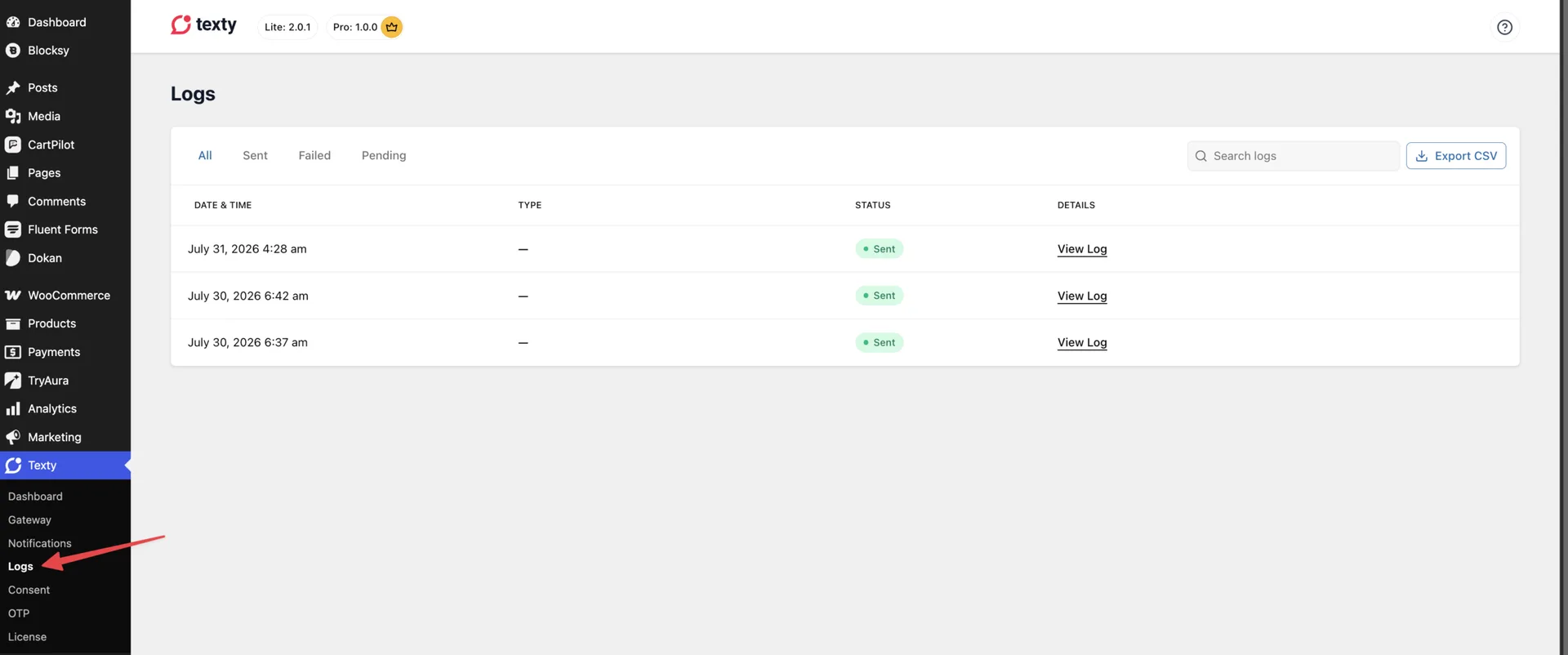
When does Texty create an SMS log?
Section titled “When does Texty create an SMS log?”Texty creates a log when an SMS goes through its send process. Logs can cover WordPress, WooCommerce, Dokan, test, and other Texty messages.
You will not see a record until:
- A gateway is active.
- A test or site event tries to send an SMS.
If the list is empty, send a test SMS first.
How do you open and search SMS Logs?
Section titled “How do you open and search SMS Logs?”- Sign in to your WordPress admin.
- Go to Texty > Logs.
- Use Search logs to enter a phone number, event, or useful word.
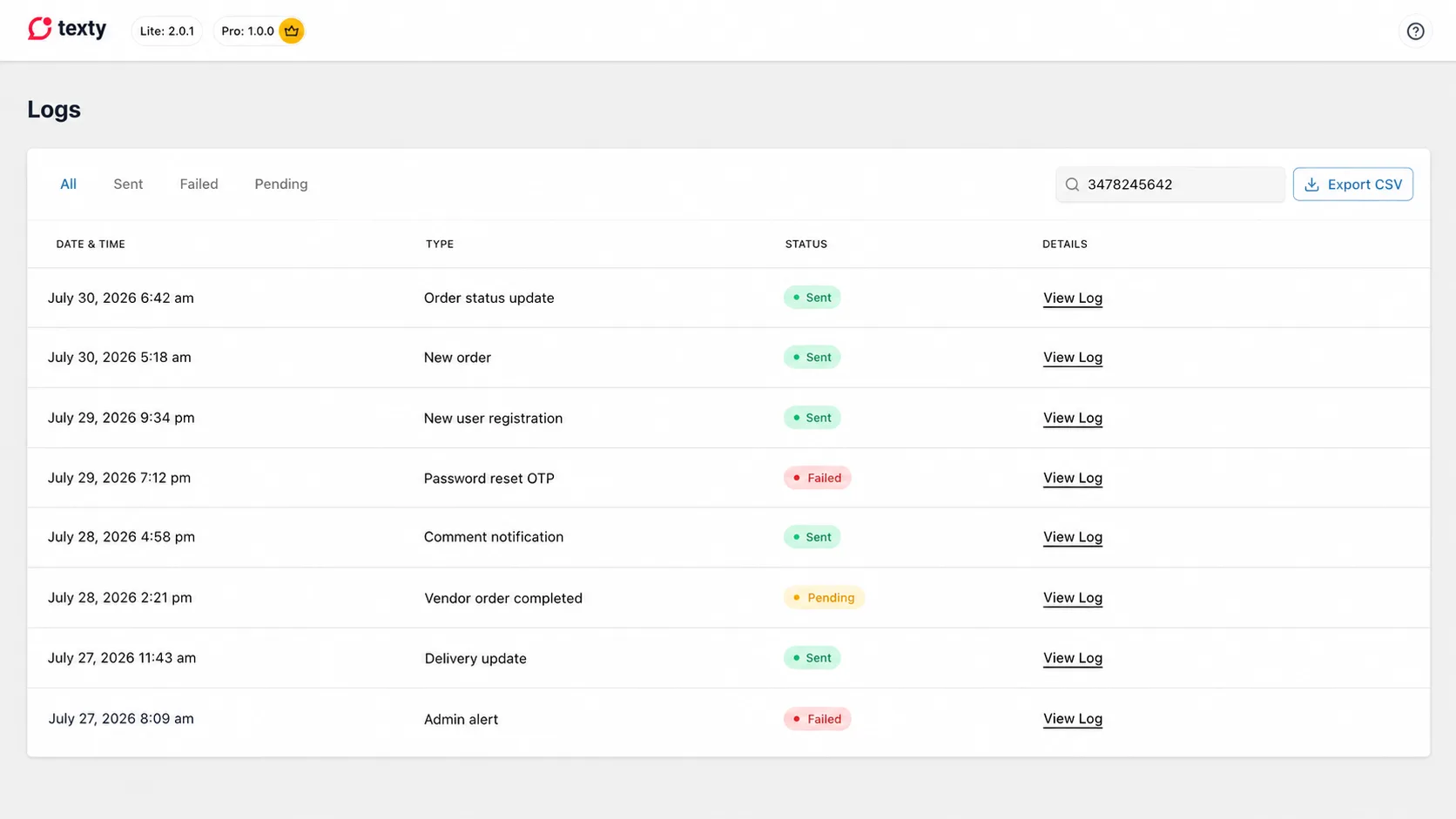
The newest records appear first. The main table shows:
- Date & Time
- Type
- Status
- Details
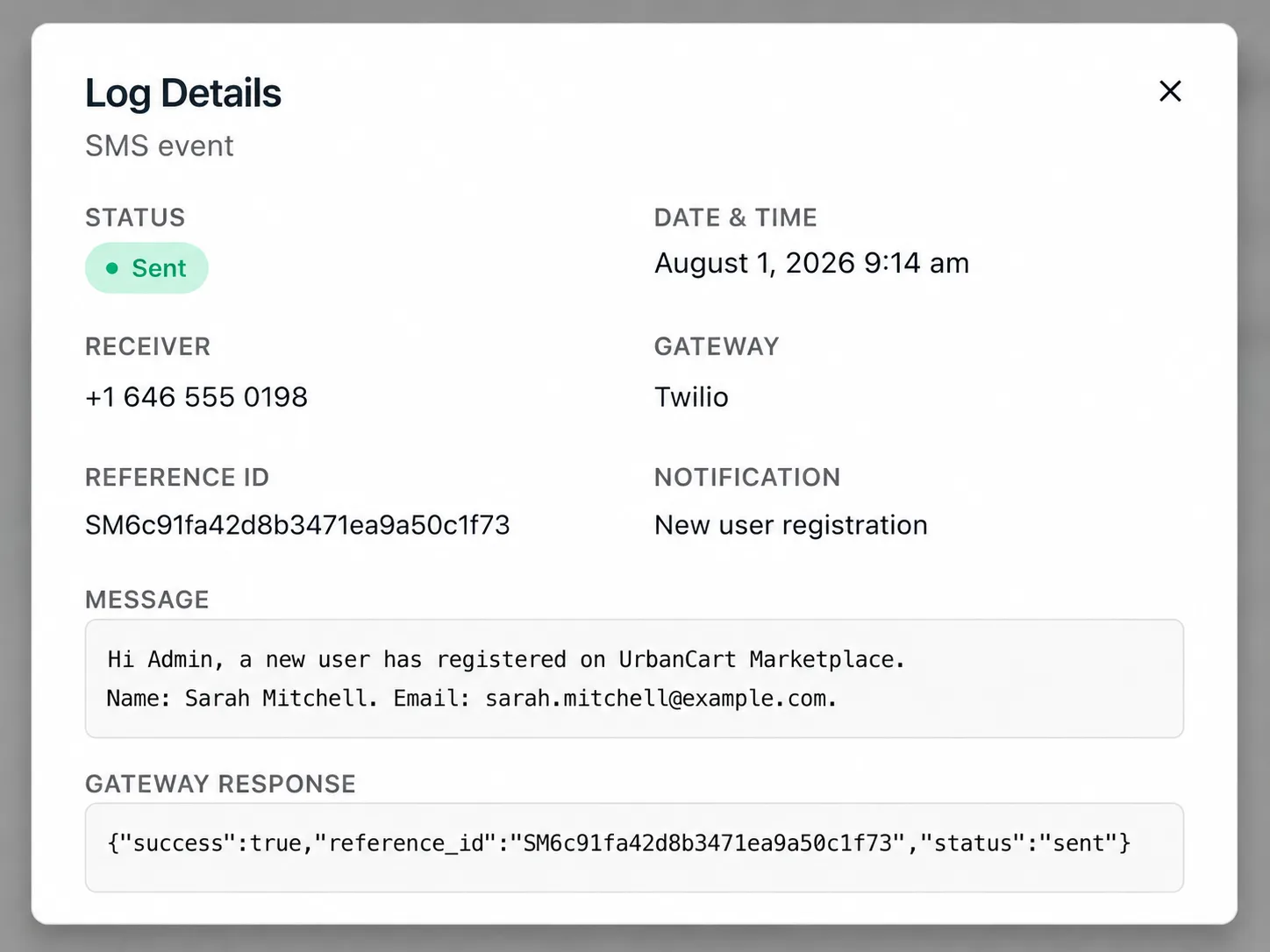
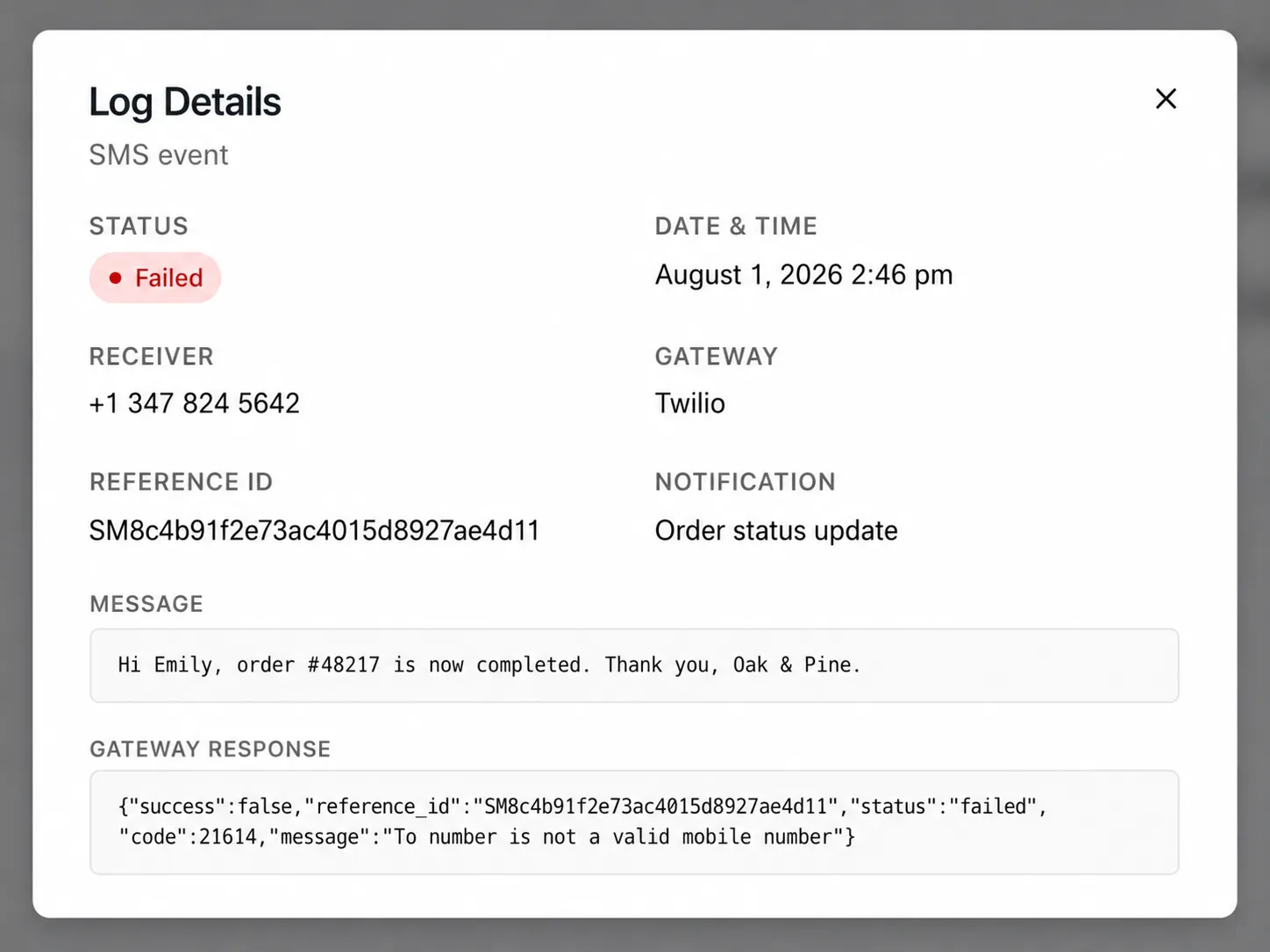
The Type tells you which event created the SMS. Select View Log to see the receiver, gateway, message, reference ID, and gateway response.
How do you filter logs by status?
Section titled “How do you filter logs by status?”Use the tabs above the table:
| Status | What it means |
|---|---|
| All | Shows every record |
| Sent | The gateway accepted the SMS without an error |
| Failed | The gateway returned an error |
| Pending | The record has not reached a final sent or failed state |
Important: Sent does not prove that the SMS reached the phone. It only shows that the gateway accepted the request. Check the provider report for carrier delivery.
What details appear in View Log?
Section titled “What details appear in View Log?”Select View Log beside a record. The detail window can show:
| Field | How it helps |
|---|---|
| Status | Shows the Texty result |
| Date & Time | Shows when the send was recorded |
| Receiver | Shows the phone number used |
| Gateway | Names the active SMS provider |
| Reference ID | Helps match the send with a provider record |
| Notification | Shows the event ID |
| Message | Shows the final SMS text |
| Gateway Response | Shows the provider result or error |
The gateway response may contain technical text. Look for a short error, code, or message. You can use it when you check the provider help center or contact support.
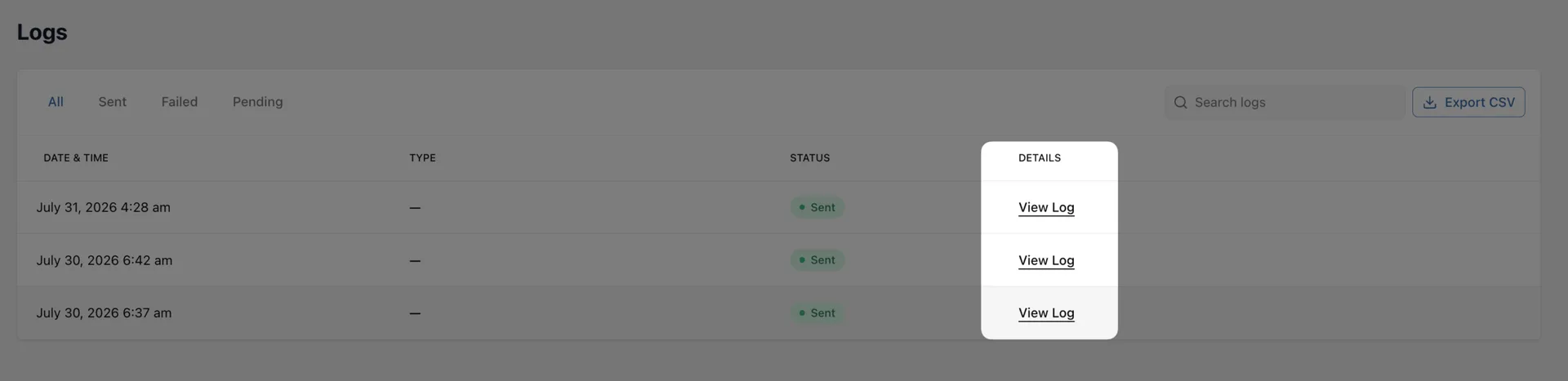
Keep private data safe: Mask phone numbers and message content before you share a screenshot. Never share an API token or secret.
How do you investigate a failed SMS?
Section titled “How do you investigate a failed SMS?”- Select the Failed tab.
- Open a recent record with View Log.
- Check the receiver’s country code.
- Read the gateway response.
- Copy the reference ID if one is present.
- Find the same send in your gateway account.
- Fix the cause and send a new test.
Common causes include:
- An invalid or incomplete phone number
- A blocked sender number or Sender ID
- An expired gateway credential
- Low gateway funds
- A trial account limit
- A route that does not support the destination
What should you do with a pending SMS?
Section titled “What should you do with a pending SMS?”Open the pending record and check its time, gateway, and response. Then compare it with the provider report.
If old records stay pending, send a new test. If the new test also stays pending, check the gateway connection and provider account.
Texty does not treat a pending record as delivered. It remains part of the total SMS count on the dashboard.
How do you export SMS Logs?
Section titled “How do you export SMS Logs?”- Search or choose a status if you want a smaller set.
- Click Export CSV.
- Save the downloaded file.
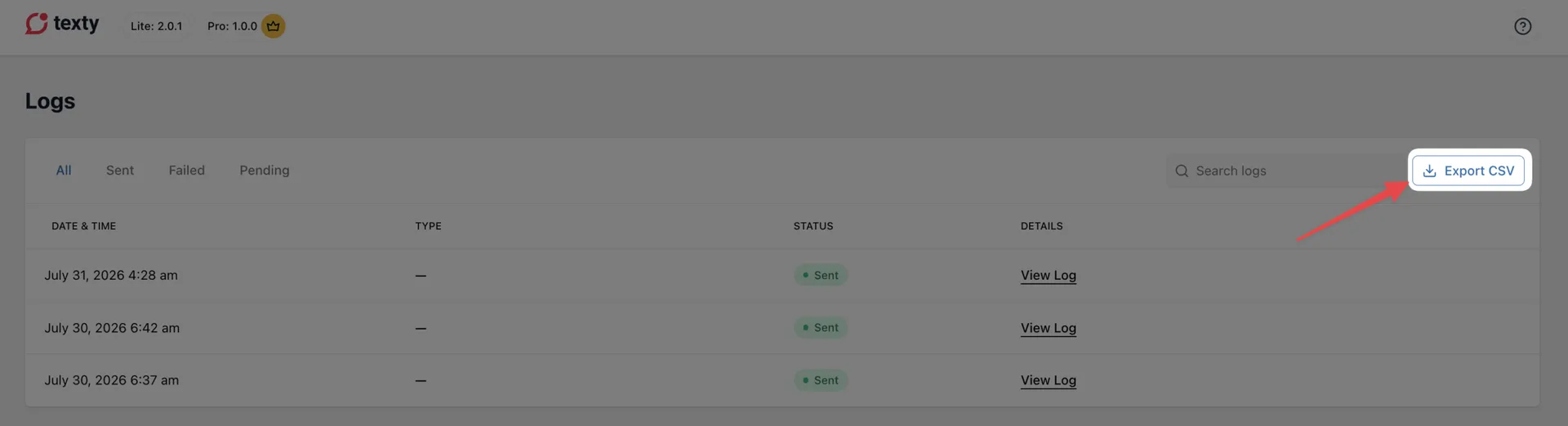
The export uses the active search and status filter. It can include the date, type, gateway, receiver, message, status, reference ID, and provider response.
Use care when you store or share the file. It may contain phone numbers and message text.
Why can you not find a log?
Section titled “Why can you not find a log?”| What happened | What to check |
|---|---|
| The list is empty | Connect a gateway and send a test SMS. |
| A known SMS is missing | Clear the search and return to the All tab. |
| Search finds nothing | Try part of the phone number or a word from the event type. |
| A failed log has no clear error | Check the reference ID and provider report. |
| The SMS says Sent but did not arrive | Review the carrier status in the gateway account. |
| Export does not start | Keep the admin session open, refresh the page, and try again. |
Does Texty store the full SMS message?
Section titled “Does Texty store the full SMS message?”Yes. The log detail and CSV export can contain the final message text. Limit access and protect exported files.
Can I export only failed SMS logs?
Section titled “Can I export only failed SMS logs?”Yes. Select Failed, add a search term if needed, then click Export CSV.
What is a reference ID?
Section titled “What is a reference ID?”It is an ID returned by the gateway. Use it to match a Texty record with the provider’s own report.
Why does Texty say Sent when the phone got nothing?
Section titled “Why does Texty say Sent when the phone got nothing?”Sent means the gateway accepted the request. The provider or carrier can still block, delay, or reject it later.
What comes next?
Section titled “What comes next?”Please follow the remaining guides to make the most out of Texty.