Texty
Set up SMS notifications, automations, phone verification, and consent tools for WordPress and WooCommerce.
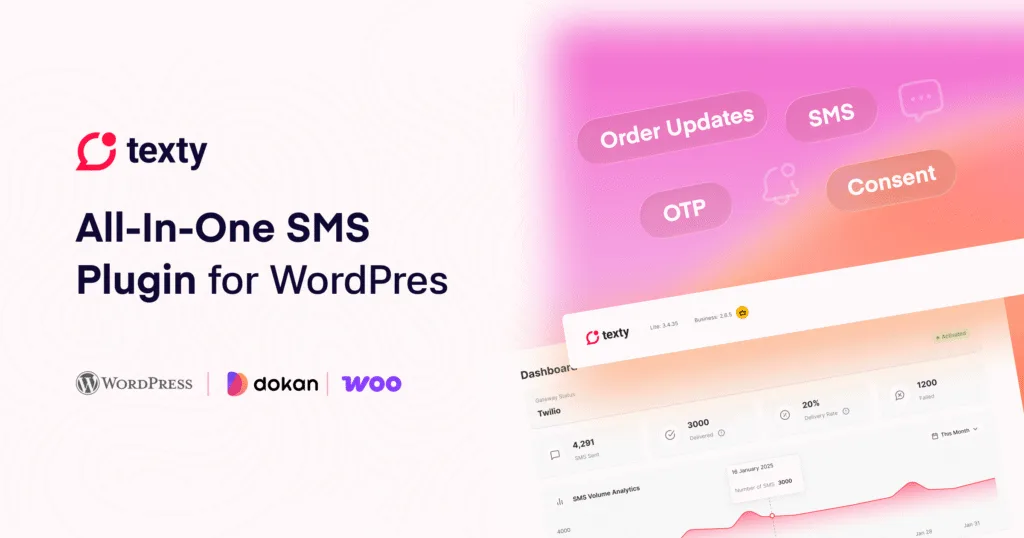
Texty connects your WordPress site to an SMS gateway you control. You can send store alerts, WooCommerce order updates, Dokan vendor notifications, and one-time messages. Texty Pro adds SMS automations, OTP phone verification, and consent tools.
New to Texty? Start with the setup below. You can send your first test SMS in a few steps.
Get started with Texty
Section titled “Get started with Texty”Follow these guides in order if this is your first time using Texty.
See what Texty can send, how SMS gateways work, and which features are included with Texty and Texty Pro.
Install and activate Texty from WordPress. If you use Texty Pro, learn how to install the Pro add-on and activate your license.
Connect Twilio, Vonage, Plivo, or Clickatell with your own gateway credentials.
Send a message to your own phone and check SMS Logs to confirm that your gateway is ready.
Recommended first setup: Install Texty, connect one SMS gateway, send a test SMS, then turn on one notification and trigger a real test event.
What do you want to set up?
Section titled “What do you want to set up?”Choose what you want Texty to do and follow the relevant guides.
Connect and manage an SMS gateway
Section titled “Connect and manage an SMS gateway”Texty uses your own SMS gateway account. Your provider sends the SMS and bills you for the messages it sends.
- Connect Your First SMS Gateway
- Connect Twilio to WordPress
- Connect Vonage to WordPress
- Connect Plivo to WordPress
- Connect Clickatell to WordPress
- Send a Test SMS
- Switch or Disconnect an SMS Gateway
Only one gateway can be active at a time. You can keep settings for other providers and switch when needed.
Set up SMS notifications
Section titled “Set up SMS notifications”Texty can send SMS when important events happen on your WordPress site, WooCommerce store, or Dokan marketplace.
You can notify:
- Customers about WooCommerce order changes
- Store admins about order activity
- Dokan vendors about their orders
- Admins when a new WordPress user registers
- Admins when a new comment is posted
Start by choosing who should receive each message and make sure the correct phone number is saved.
- Control Who Receives SMS Notifications
- Set your SMS sender name and pause notifications
After turning on a notification, create the matching event and check Texty > SMS Logs to make sure it was sent.
Track your SMS activity
Section titled “Track your SMS activity”Texty keeps a record of the SMS requests it sends through your gateway.
Use the dashboard and SMS Logs to check message volume, find failed sends, and review individual gateway responses.
- View SMS Logs and Delivery Status
- Track SMS Performance with Texty Metrics
A Sent result means the SMS gateway accepted the request. It does not always confirm delivery to the recipient’s phone. Use your gateway report when you need the final carrier status.
Automate SMS with Texty Pro
Section titled “Automate SMS with Texty Pro”Texty Pro adds 12 SMS automations for customer follow-ups and store alerts.
You can automate messages for:
- Failed or pending payments
- On-hold payments
- Back-in-stock products
- Price drops
- Review requests
- Customer notes
- License or download expiry
- First orders
- Win-back campaigns
- Replenishment and reorders
- Security events
- Low or out-of-stock products
Start here:
- Activate Your Texty Pro License
- Turn On Texty Automations
- Texty Automation Triggers Reference
- Customize Automation Timing and Cooldowns
Some automations send immediately. Others depend on a delay, threshold, reminder limit, or cooldown.
Verify phone numbers with OTP
Section titled “Verify phone numbers with OTP”Texty Pro can send a one-time password to verify a phone number.
You can require verification during:
- WooCommerce checkout
- User registration
- Billing phone number changes
Configure the code length, expiry time, resend cooldown, code type, and SMS message before enabling a verification flow.
- Customize OTP Code Settings
- Turn On OTP Verification at Checkout
- Turn On OTP Verification at Registration
- Turn On OTP Verification for Profile Updates
Start with one OTP flow and test it using a phone you control before enabling it for customers.
Collect SMS consent
Section titled “Collect SMS consent”Texty Pro can add an SMS consent option to WooCommerce checkout and save consent details for supported customers.
Use these guides to set it up and review the information Texty stores.
- Collect SMS Consent at Checkout
- Review SMS Consent Records
Consent settings are only one part of your SMS process. Make sure your messaging practices follow the rules that apply to your business, audience, and destination countries.
Texty or Texty Pro?
Section titled “Texty or Texty Pro?”You can use Texty without purchasing Pro.
| Texty | Texty Pro |
|---|---|
| Twilio, Vonage, Plivo, and Clickatell | Everything in Texty |
| WordPress SMS alerts | 12 SMS automations |
| WooCommerce customer and admin alerts | OTP phone verification |
| Dokan vendor alerts | SMS consent tools |
| Quick Send | Automation timing and cooldown controls |
| SMS Logs | Pro automation and verification settings |
| SMS metrics | |
| Notification controls |
Texty Pro requires Texty. Keep the free Texty plugin installed and active when you use Pro features.
Something not working?
Section titled “Something not working?”Start with a test SMS before changing other settings. The result usually tells you whether the problem is with Texty, your gateway, the recipient number, or the event that should trigger the message.
SMS is not sending
Section titled “SMS is not sending”Follow the troubleshooting flow for failed, pending, or missing SMS messages. You can also troubleshoot notifications, automations, and OTP messages.
Have a question about Texty?
Section titled “Have a question about Texty?”Texty Frequently Asked Questions
Find answers about gateways, SMS costs, notifications, Texty Pro, automations, OTP, consent, logs, and delivery status.
Need more help?
Section titled “Need more help?”If the documentation does not solve the issue, contact the Texty support team.
Before contacting support, collect:
- Your Texty version
- Your WordPress and WooCommerce versions
- The SMS gateway you use
- The affected SMS Log status
- The gateway response or error code
- The steps that caused the issue
Never send your API token, API secret, Auth Token, license key, or other private credentials in a support request.
Contact Support