How to Set Your SMS Sender ID and Pause Notifications
Open Texty > Notifications > Settings to manage the sender details for your SMS. You can add a fallback Sender ID or place your company name at the end of each text. You can also pause all outgoing SMS.
What do you need before you start?
Section titled “What do you need before you start?”Make sure:
- Texty is installed and active.
- You can sign in as a WordPress administrator.
- An SMS gateway is connected and active.
- Your sender number or name is allowed by the gateway.
If no gateway is ready, follow how to connect your first SMS gateway.
Where do you find the global SMS settings?
Section titled “Where do you find the global SMS settings?”Sign in to your WordPress admin. Go to Texty > Notifications. Open the Settings tab.
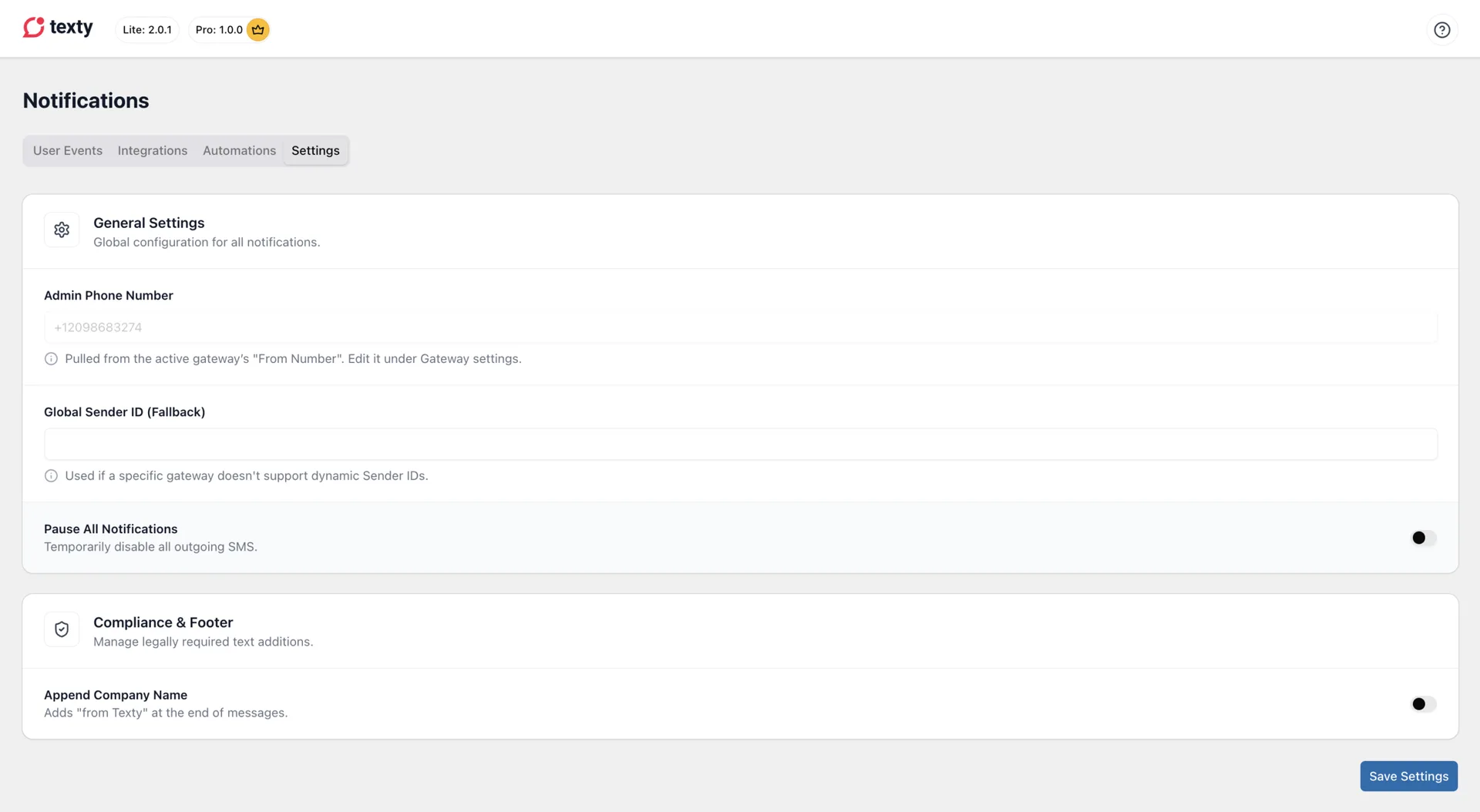
The page has two parts. General Settings covers your sender details and pause control. Compliance & Footer lets you add your company name.
What is the Admin Phone Number?
Section titled “What is the Admin Phone Number?”The Admin Phone Number field shows the active gateway’s From Number. Texty fills this field for you, so you cannot edit it here.
To change the number, open Texty > Gateway and edit the active gateway. This number is the sender used by gateways that need a phone number.
Do not confuse this with an alert recipient: This field does not choose which staff member gets an SMS. Recipient numbers are set inside each event.
How do you set the Global Sender ID?
Section titled “How do you set the Global Sender ID?”Use Global Sender ID when you want Texty to have a backup sender name.
- Find Global Sender ID (Fallback).
- Enter the approved sender name or ID.
- Click Save Settings.
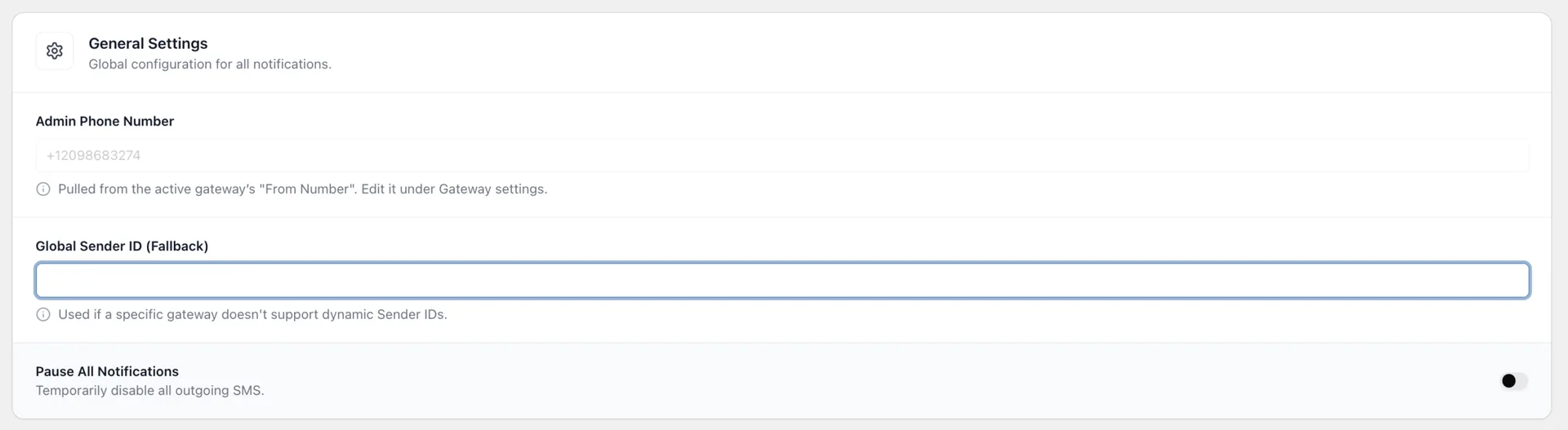
Sender IDs do not work in every country or on every route. Your SMS provider and local carrier rules decide what the recipient sees. Is the sender changed, blocked, or missing? Check the From Number in your gateway. Then review the sender rules in your provider account.
Best practice: Use a sender that your gateway has approved. Keep it short and easy to link to your store.
How do you pause all Texty messages?
Section titled “How do you pause all Texty messages?”Use Pause All Notifications when you need a full but brief stop. This can help during site work, a gateway change, or a test.
- Turn on Pause All Notifications.
- Review the warning.
- Click Yes, Pause.
- Click Save Settings.
Texty will block new outgoing SMS while this switch is on. Your gateway details, event settings, templates, and recipients stay saved.
Important: Messages blocked during the pause are not held for later. Turning the switch off allows new events to send, but it does not resend missed events.
To start sending again:
- Turn off Pause All Notifications.
- Click Save Settings.
- Send a test SMS.
How do you test these settings?
Section titled “How do you test these settings?”Test one change at a time:
- Save the new setting.
- Send a test SMS to a phone you control.
- Check the sender shown on the phone.
- Check the company name at the end of the message.
- Open Texty > SMS Logs and review the new record.
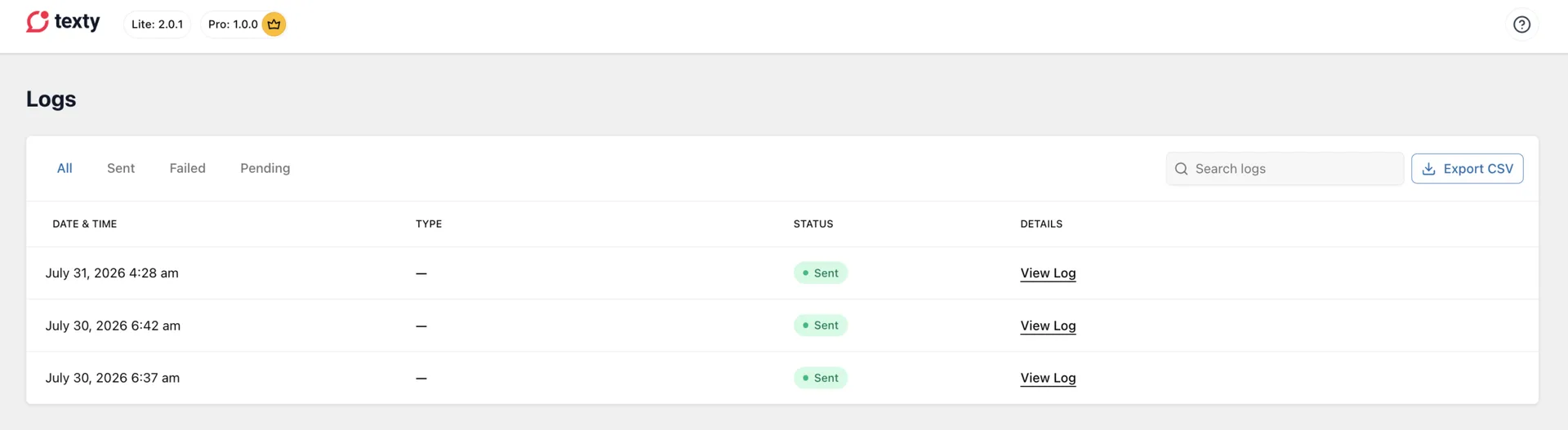
The phone is the best check for the visible sender. SMS Logs show the message and gateway result, but they do not prove which sender name a carrier displayed.
Why did the setting not work?
Section titled “Why did the setting not work?”| What happened | What to check |
|---|---|
| The sender name did not appear | Check whether your gateway and destination country allow sender IDs. |
| A different sender appeared | Review the active gateway’s From Number and your provider’s sender rules. |
| The company name is wrong | Update the site title under Settings > General in WordPress. |
| The company name is missing | Turn on Append Company Name, save, and send a new test. |
| SMS still sends after a pause | Make sure you confirmed the pause and clicked Save Settings. |
| SMS does not send after a pause | Turn the pause switch off, save, then test the gateway again. |
What is the difference between a Sender ID and a company name?
Section titled “What is the difference between a Sender ID and a company name?”A Sender ID appears as the sender in the phone’s message list when the route allows it. The company name is plain text added to the end of the SMS.
Can I edit the Admin Phone Number on this page?
Section titled “Can I edit the Admin Phone Number on this page?”No. Texty reads it from the active gateway’s From Number. Edit the gateway to change it.
Does Pause All Notifications remove my setup?
Section titled “Does Pause All Notifications remove my setup?”No. It keeps your gateway, events, templates, and recipients. It only blocks new SMS until you turn the switch off.
Does pausing Texty queue missed messages?
Section titled “Does pausing Texty queue missed messages?”No. Events that happen while Texty is paused are not sent later.
What comes next?
Section titled “What comes next?”Please follow the remaining guides to make the most out of Texty.