How to Connect Clickatell
You can connect Clickatell to WordPress with an API Key. Add the key to Texty, turn on the gateway, and send a test SMS to check the link.
What do you need before you start?
Section titled “What do you need before you start?”You will need:
- Texty set up and active.
- An account with Clickatell.
- An SMS API link in the Clickatell Portal.
- The API Key from that integration.
- A phone that can receive your test message.
If you still need to compare SMS firms, read how to connect your first SMS gateway.
Keep your API Key private: Anyone with this key may be able to send SMS through your account. Hide it in screenshots and support requests.
Where do you find the API Key?
Section titled “Where do you find the API Key?”Sign in to the Clickatell Portal. Go to My Workspace > API Integrations.
Select the SMS API link you want to use. Find the API Key in its details.
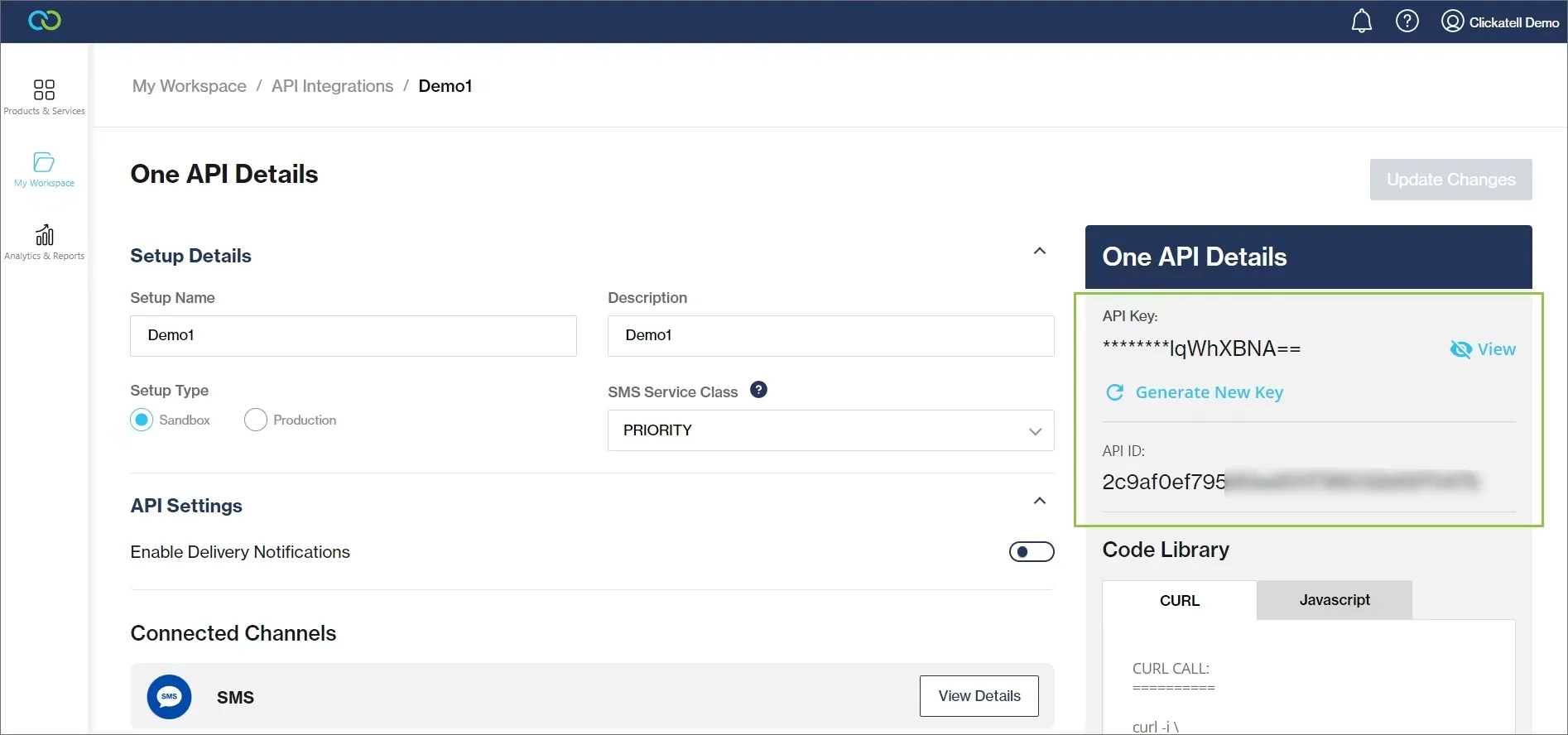
If you do not have an SMS API link, make one first. Finish the sender and country steps shown in your account.
How do you link the account to Texty?
Section titled “How do you link the account to Texty?”Log in to your WordPress admin.
Go to Texty > Gateway. Open the gateway configuration and select Clickatell. Paste your value into API Key and click on save**.**
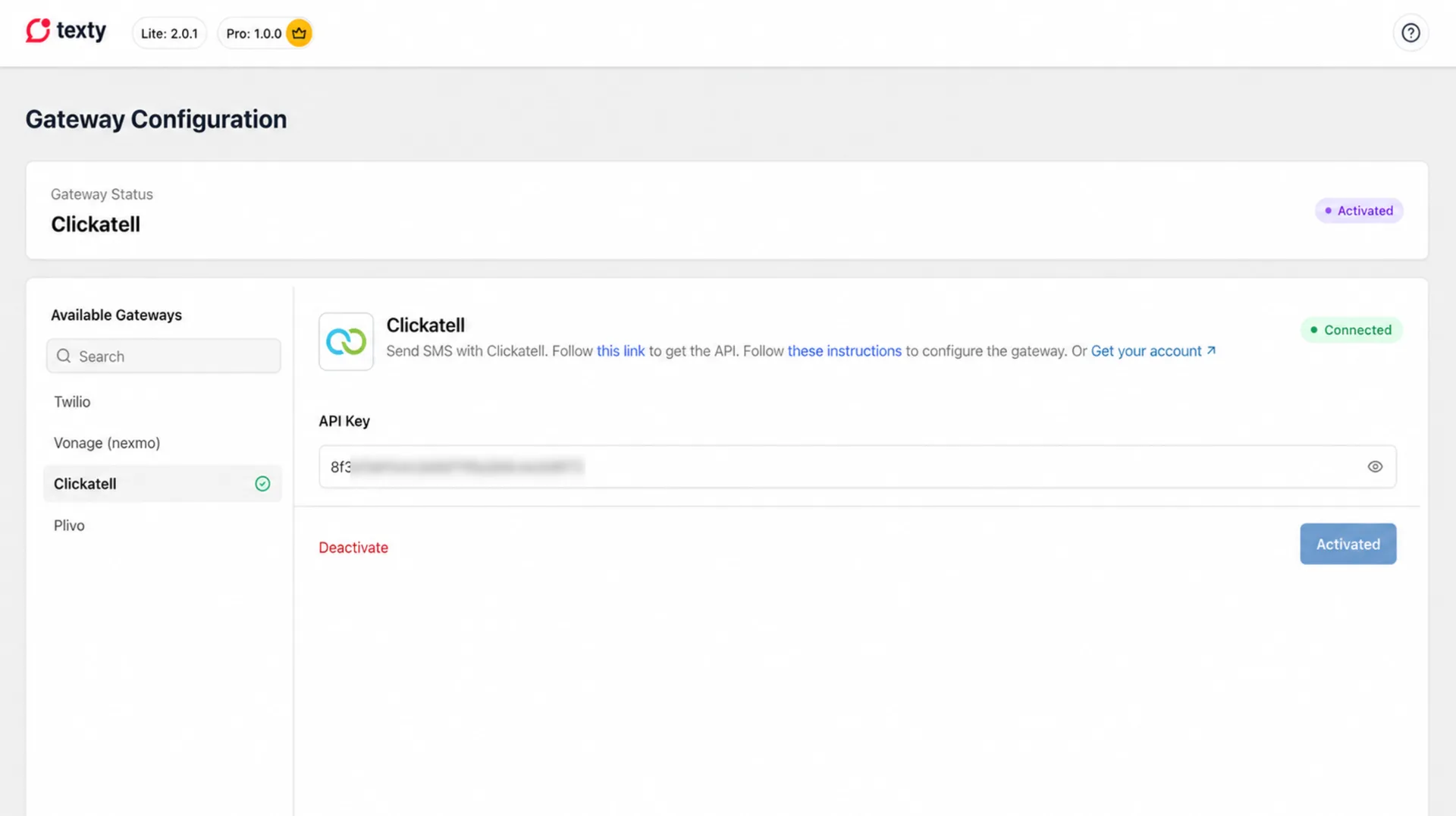
Enter your number or approved name in From Number. Click Connect. When the connection succeeds, click Activate.
Expected result: Clickatell now shows as active. Texty will use it for each new SMS.
How do you test the link?
Section titled “How do you test the link?”To test if the Clickatell is proper connected, you need to open the Dashboard tab in Texty and find the Quick Send SMS feature. Enter a phone number with its country code.
Next, click Send Test. Check the phone for the test message. Open Texty > SMS Logs and review the new record.
A good send means Clickatell took the message. It does not prove that the phone got it. If no SMS arrives, check the Texty log and your Clickatell message log.
For more detail, follow how to send a test SMS.
Why is the SMS not sending?
Section titled “Why is the SMS not sending?”| Problem | What to check |
|---|---|
| Texty rejects the link | Copy the API Key from the right API link. Remove extra spaces. |
| The test says no gateway is active | Return to this gateway in Texty and click Activate. |
| The sender is rejected | Check the sender tied to your SMS API link. |
| The test number is blocked | Check the trial or test-number rules in your account. |
| The phone number is invalid | Use the full international format with a plus sign and country code. |
| The firm takes the SMS, but it does not arrive | Check account funds, the message log, and country rules. |
If texts fail in one country, check the sender and route rules for that place.
What should you do next?
Section titled “What should you do next?”The gateway is ready when the test reaches your phone and appears in SMS Logs. You can now turn on one Texty alert and test the full event.
To change providers later, follow how to switch or disconnect an SMS gateway.