How to Switch or Disconnect an SMS Gateway
To switch an SMS gateway in WordPress, open Texty and turn on a new one. Texty can save more than one gateway, but only one can be live. Use Deactivate to pause a link but keep its keys. Use Disconnect to clear its saved keys.
What does each gateway action do?
Section titled “What does each gateway action do?”| Action | What Texty does | When to use it |
|---|---|---|
| Activate another gateway | Makes that provider active for new SMS messages | You want to switch providers |
| Deactivate | Stops the current gateway but keeps its saved details | You want to pause all gateway sends |
| Disconnect | Clears the saved details for that gateway | You closed the account or need a fresh setup |
Before you switch: Link and test the new SMS firm first. This helps you avoid a gap in store texts.
How do you switch to a new SMS gateway?
Section titled “How do you switch to a new SMS gateway?”Log in to your WordPress admin. Go to Texty > Gateway.
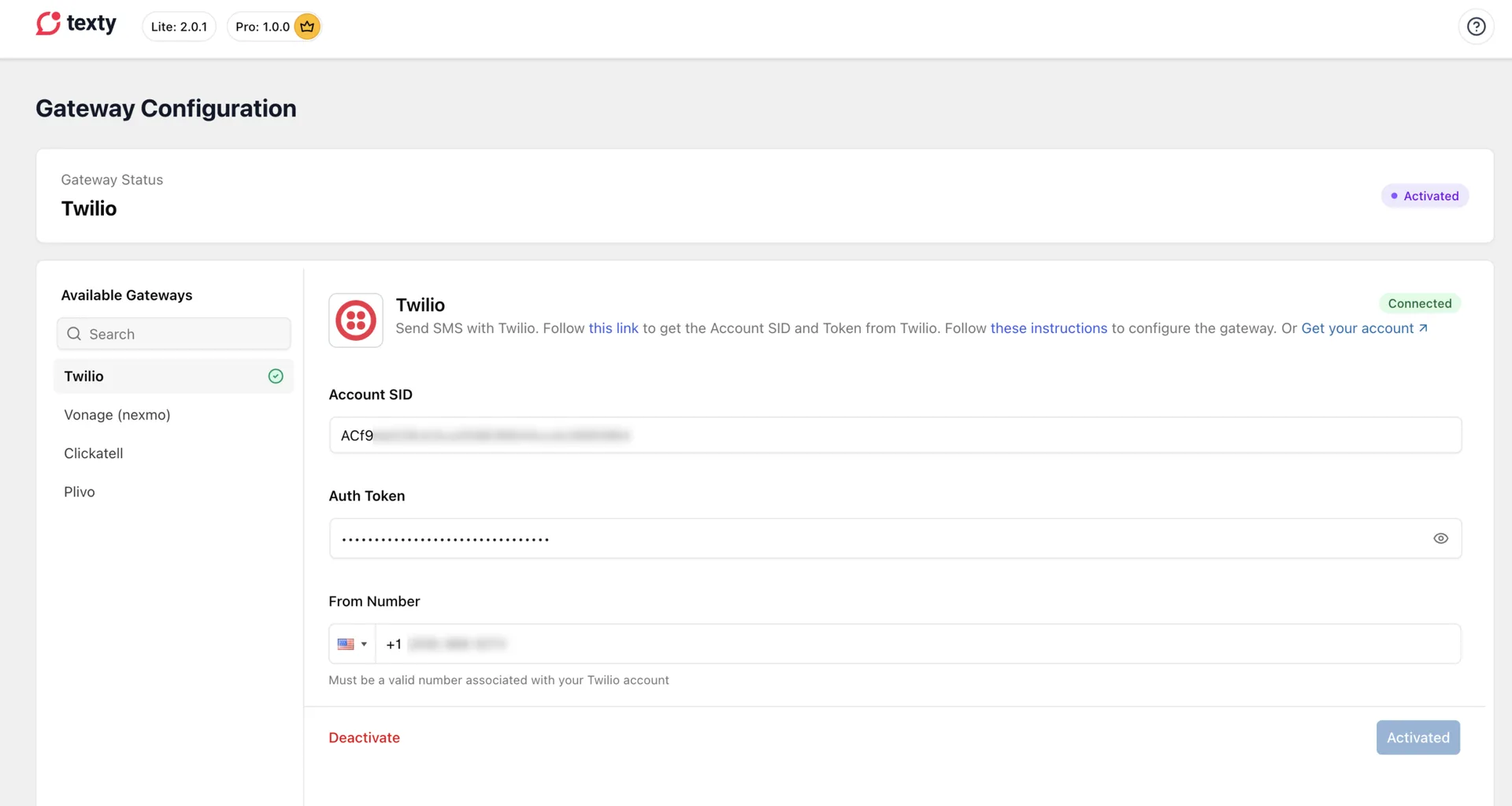
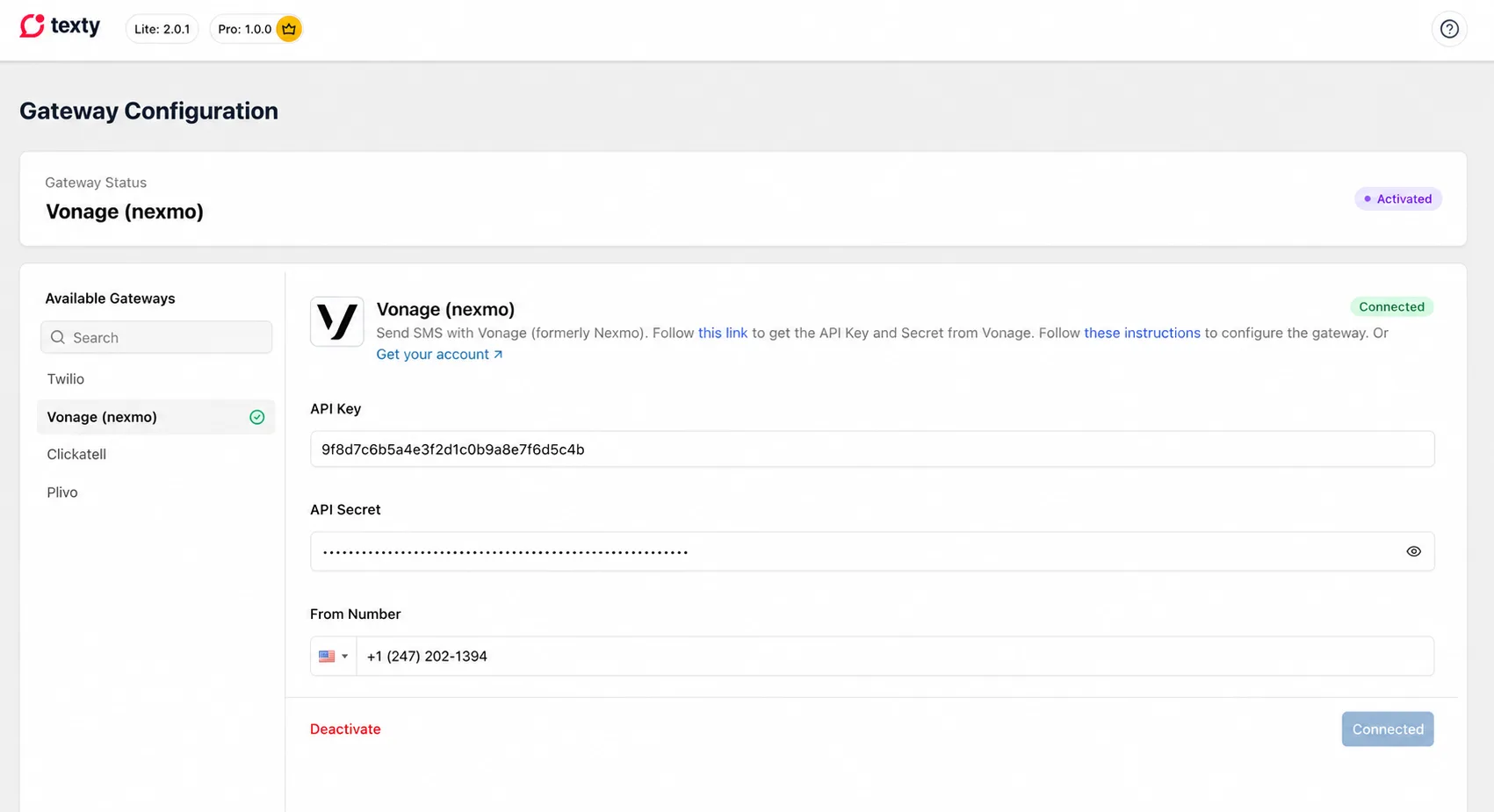
Click on the other gateway you want to connect, and place in the credentials. Click on connect, and a green tick will appear next to the gateway, indicating a successful connection.
How do you pause the live gateway?
Section titled “How do you pause the live gateway?”Use Deactivate when you want Texty to stop all sends but keep the setup.
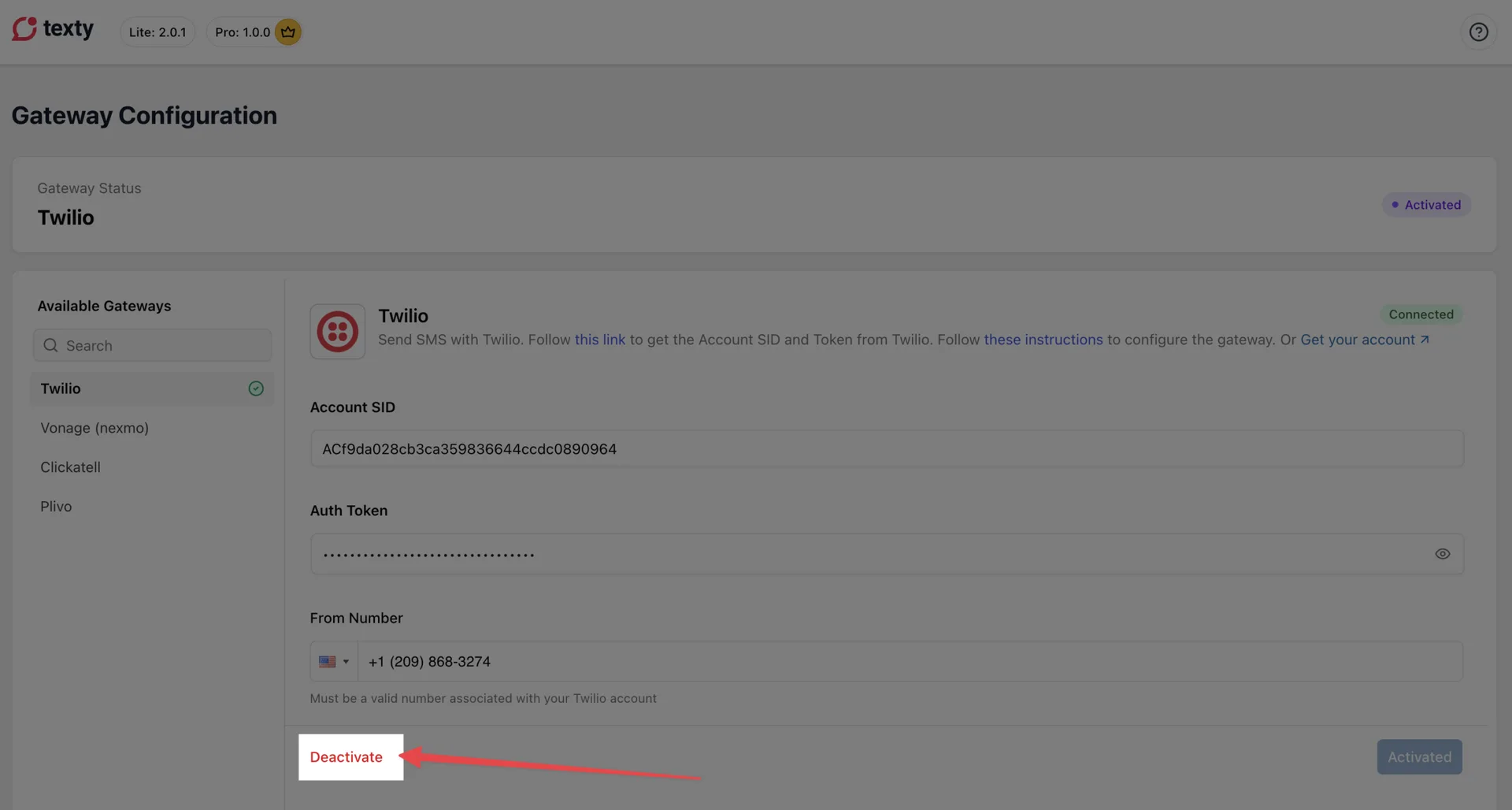
Go to Texty > Gateway. Open the live gateway. Click Deactivate.
Check that it no longer shows as active.
No Texty SMS can send when all links are off. Turn one on when you are ready.
How do you clear a saved gateway?
Section titled “How do you clear a saved gateway?”Disconnect clears the keys saved in Texty. You must add them again before you can use that gateway.
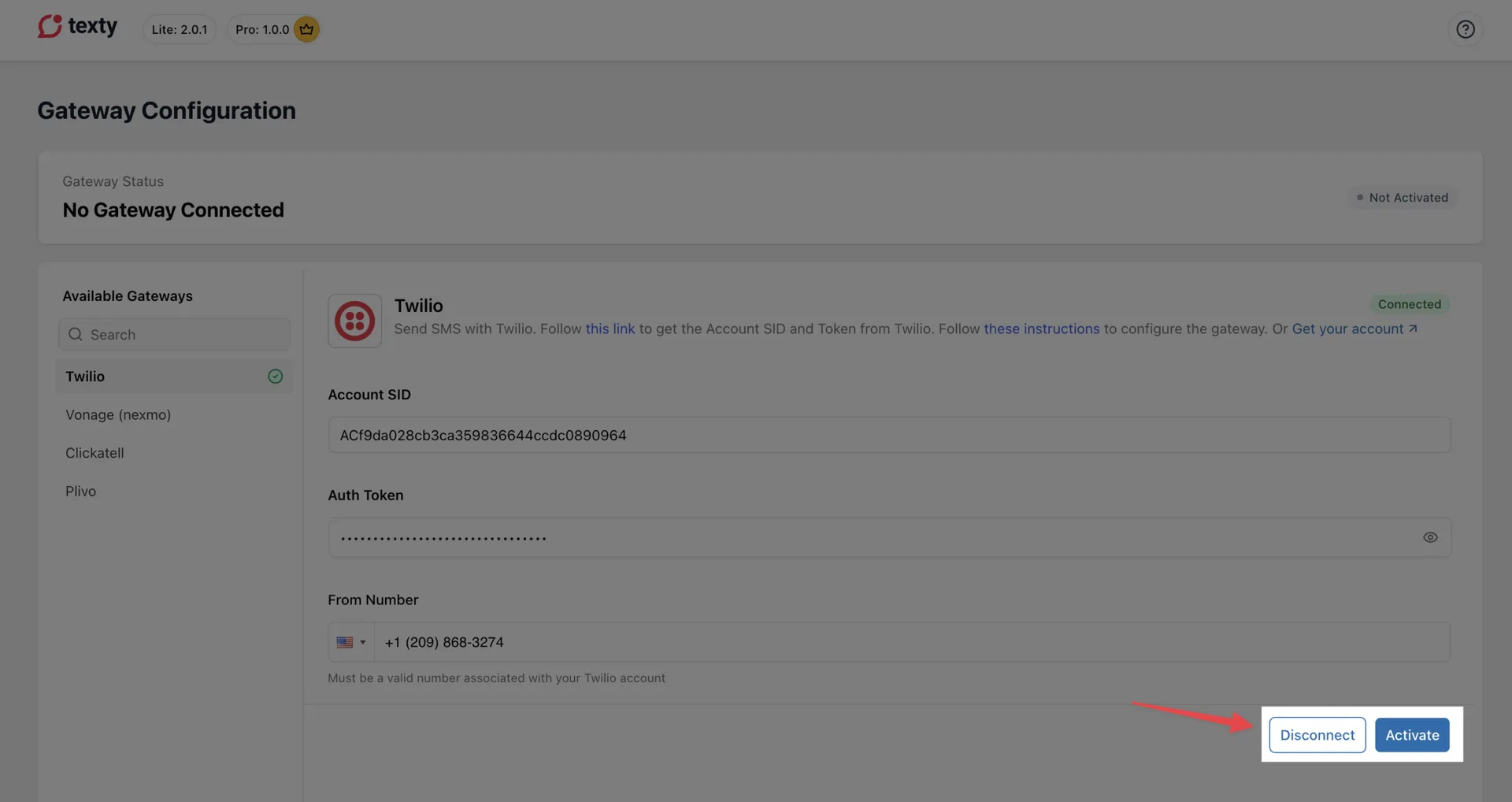
Go to Texty > Gateway. Open the SMS firm you want to remove. Click Disconnect. Confirm the action if Texty asks.
Check that its saved fields are now blank.
Warning: Disconnect does not close your Twilio, Vonage, Plivo, or Clickatell account. It only clears the saved link in Texty.
What happens to your Texty alerts?
Section titled “What happens to your Texty alerts?”These three actions do not remove your Texty alert settings. Your phone rules, SMS text, and event choices stay the same.
The gateway only sets which firm sends the SMS. If no gateway is live, Texty cannot send the text.
What should you check after a switch?
Section titled “What should you check after a switch?”- Send a test SMS
- Confirm that the new provider appears in SMS Logs.
- Trigger one store notification.
- Check the receiving phone and the new log record.
- Check your funds and sender rules with the new SMS firm.
Follow how to send a test SMS if the first check fails.
Why did texts stop after the switch?
Section titled “Why did texts stop after the switch?”| Problem | What to check |
|---|---|
| No gateway is active | Open the new one and click Activate. |
| The new gateway is not linked | Add its keys and sender, then click Connect. |
| The test SMS fails | Check the phone format, sender, account funds, and provider error. |
| The test works, but a store alert fails | Check that the notification is on and the recipient has a valid phone number. |
| Texts still use the old firm | Reload the screen and check which gateway is marked active. |
For setup help, use the guides for Twilio, Vonage, Plivo, or Clickatell.