How To Add OTP Verification to WooCommerce Checkout
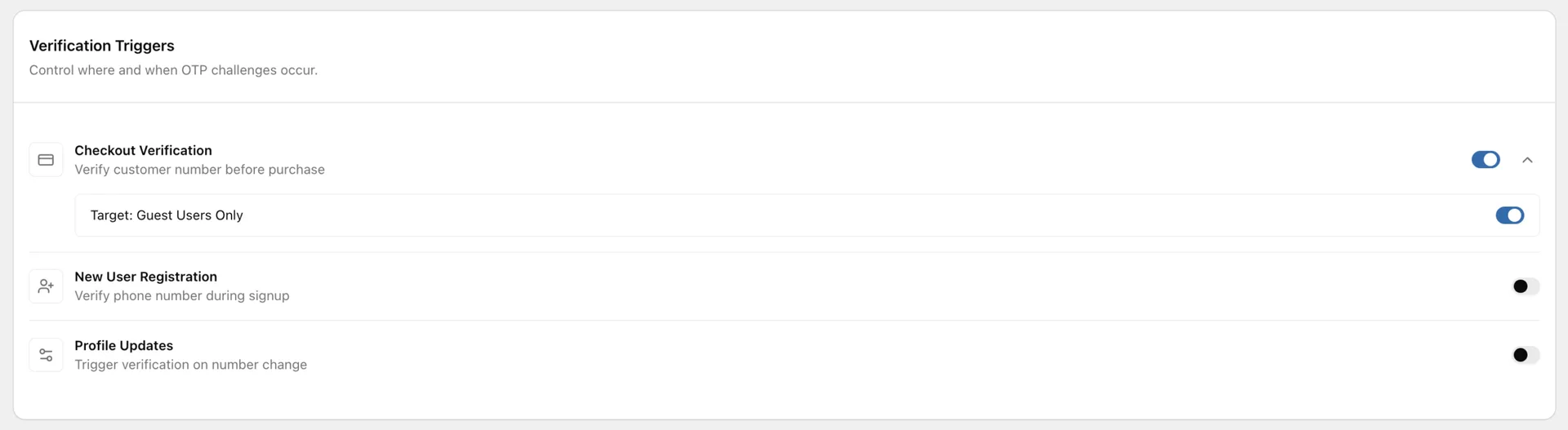
Turn on the Checkout trigger in Texty > OTP to verify customer phone numbers before an order is placed. You can ask only guests to verify, or also check logged-in customers whose number is not yet verified.
What do you need before you start?
Section titled “What do you need before you start?”Make sure your Texty Pro license is active and an SMS gateway is connected. Send a test SMS before you enable OTP for customers.
Review your shared code, message, expiry, and resend rules first. See how to customize OTP settings in Texty.
How do you turn on OTP at checkout?
Section titled “How do you turn on OTP at checkout?”- Sign in to your WordPress dashboard.
- Go to Texty > OTP.
- Find the Checkout trigger.
- Turn on Checkout.
- Choose whether OTP applies to guests only.
- Save your changes.
Checkout OTP is off by default. Customers will not see it until you enable this trigger.

Should OTP apply to guests only or all shoppers?
Section titled “Should OTP apply to guests only or all shoppers?”The Guests only setting controls who must verify at checkout.
| Guests only | What happens |
|---|---|
| On | Guest shoppers must verify. Logged-in shoppers skip checkout OTP. |
| Off | Guests must verify. A logged-in shopper must verify if the phone is not already verified. |
Use Guests only if your main goal is to check phone numbers on guest orders. Turn it off if you also want to check unverified numbers from signed-in customers.
Texty remembers a successful verification for 30 minutes. A shopper may not see another code prompt during that time.
What does the customer see?
Section titled “What does the customer see?”When OTP is required, the shopper enters a phone number and asks for a code. Texty sends the code by SMS. The shopper enters it, then finishes checkout after the code is accepted.
This flow works on both classic and block checkout.
How do you test checkout OTP?
Section titled “How do you test checkout OTP?”Test both guest and logged-in checkout before customers use it.
- Open a private browser window.
- Add a test product to the cart.
- Go to checkout as a guest.
- Enter a phone you control.
- Request and enter the code.
- Place the order.
- Repeat the test while signed in.
- Confirm that the Guests only rule works as expected.
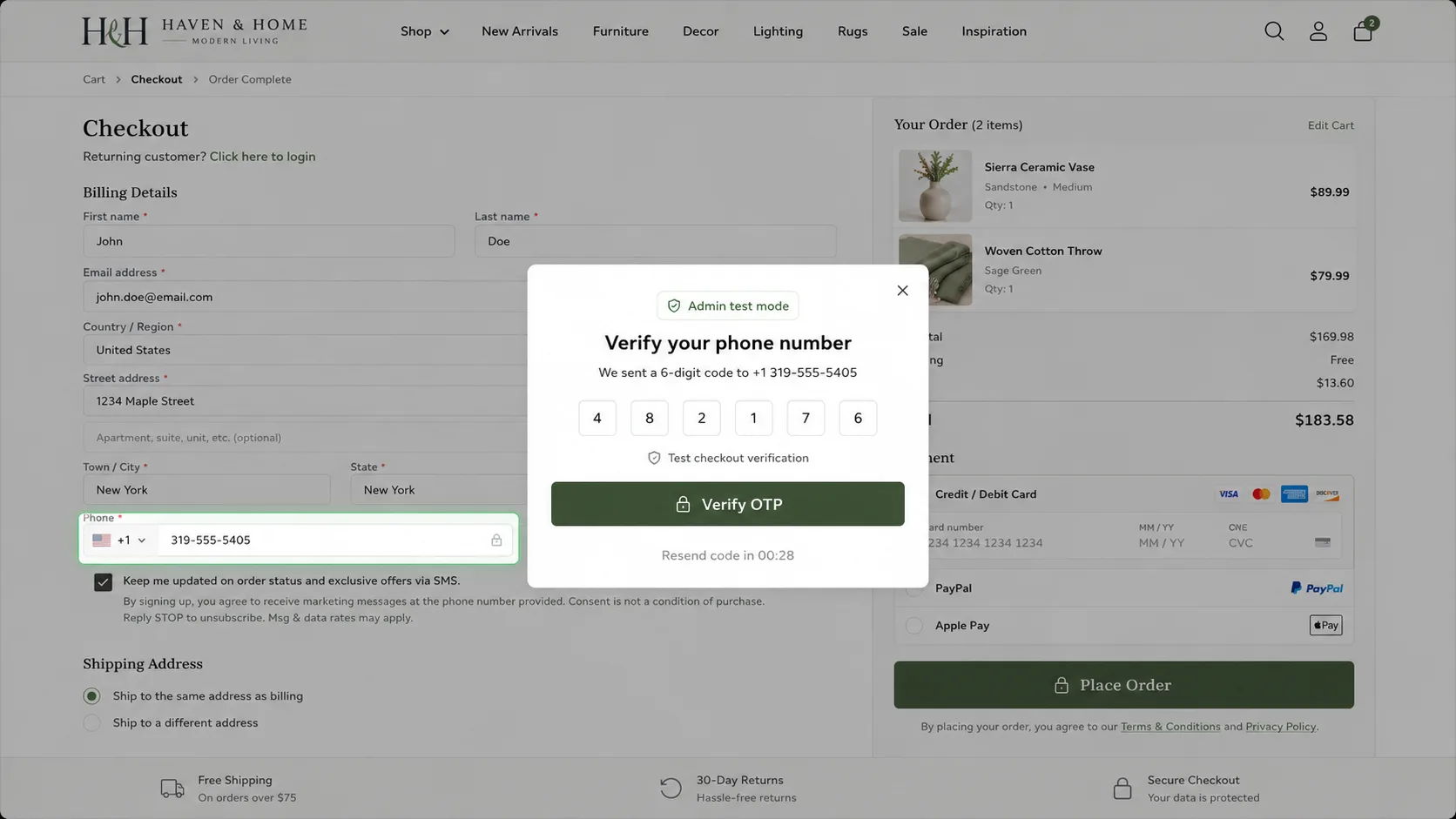
If your store uses block checkout, test that page as well. Use a test payment method or staging site when possible.
Also try one wrong code and one expired code. Texty should stop checkout until a valid code is entered.
Success check: The required shopper can place the order after a valid code, while an invalid or expired code is rejected.
Why is checkout OTP not working?
Section titled “Why is checkout OTP not working?”| What happened | What to check |
|---|---|
| No OTP field appears | Make sure the Checkout trigger is on, then clear the page cache. |
| A logged-in shopper skips OTP | Check whether Guests only is on or the phone was verified in the last 30 minutes. |
| The code does not arrive | Test the active gateway and check the phone format. |
| Resend is blocked | Wait for the saved resend cooldown. |
| The correct code is rejected | Use the newest code and check whether it expired. |
| Block checkout shows no field | Update WooCommerce and check for a checkout-block conflict. |
| Checkout stays blocked | Check for an on-screen OTP error before testing other plugins. |
If five wrong codes are entered, Texty invalidates that code. Request a new one before you try again.
Can you require OTP only for guest checkout?
Section titled “Can you require OTP only for guest checkout?”Yes. Enable Checkout, then turn on Guests only.
Does OTP verify the customer or the phone number?
Section titled “Does OTP verify the customer or the phone number?”It proves that the shopper can receive the code sent to that phone at that time.
Will OTP change the order phone number?
Section titled “Will OTP change the order phone number?”It checks the phone used in the checkout flow. The order then follows the normal WooCommerce save process.
Does checkout OTP work with WooCommerce blocks?
Section titled “Does checkout OTP work with WooCommerce blocks?”Yes. Texty supports both classic and block checkout. Test the exact checkout used by your store.
What should you do next?
Section titled “What should you do next?”Place one full test order and review the result. You can also turn on OTP at registration or verify phone number changes.