How to Set Up WordPress SMS Notifications for User Events
Texty can alert your team when a new user joins or a new comment is sent. Open the event you need and turn it on. Then choose who gets it, check the text, and save.
What do you need before you start?
Section titled “What do you need before you start?”Make sure:
- Texty is installed and active.
- One SMS gateway is live.
- Each team member has a phone in their WordPress profile.
- You can create a test user and submit a test comment.
If your gateway is not ready, follow how to connect your first SMS gateway.
How do you turn on signup alerts?
Section titled “How do you turn on signup alerts?”The New User Registration event runs when a new account is made. By default, it goes to the Administrator role.
Go to Texty > Notifications. Open the User Events tab.
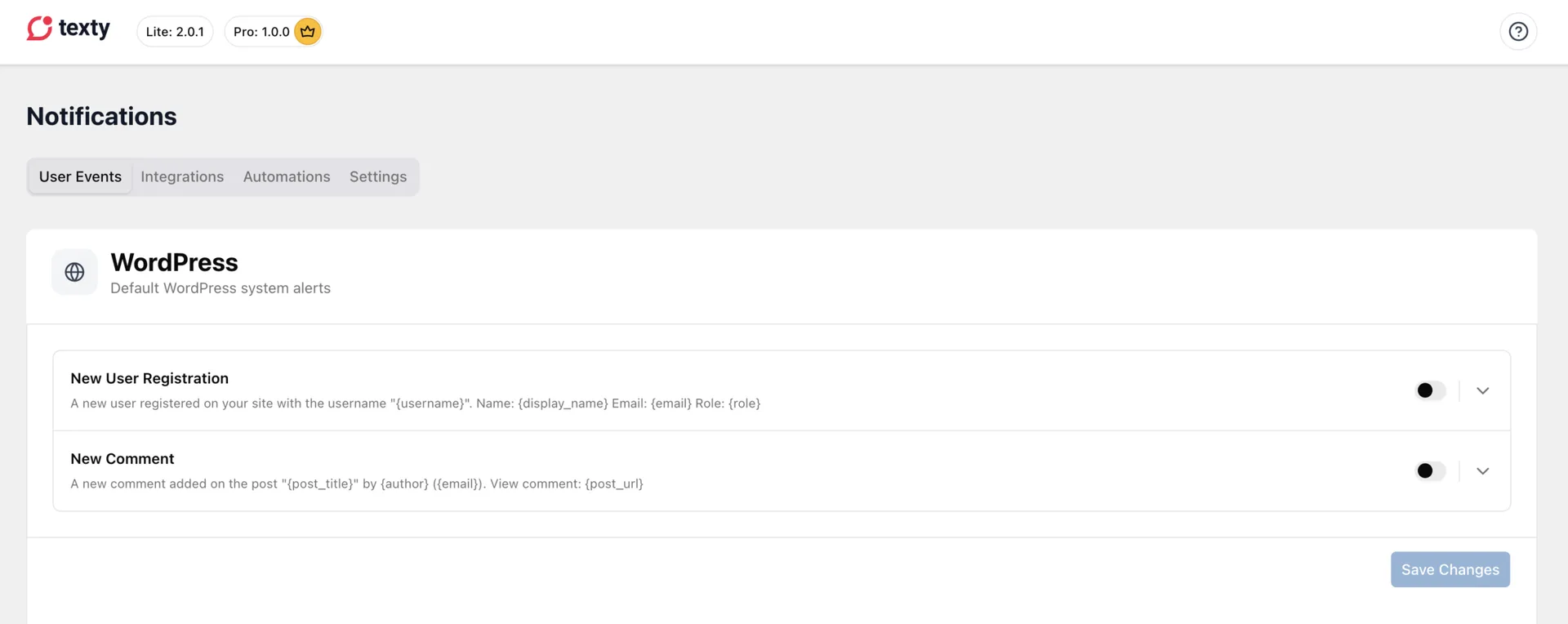
Expand New User Registration. Turn the toggle on.
Choose the WordPress roles that should get it. Check the message and its dynamic variables.
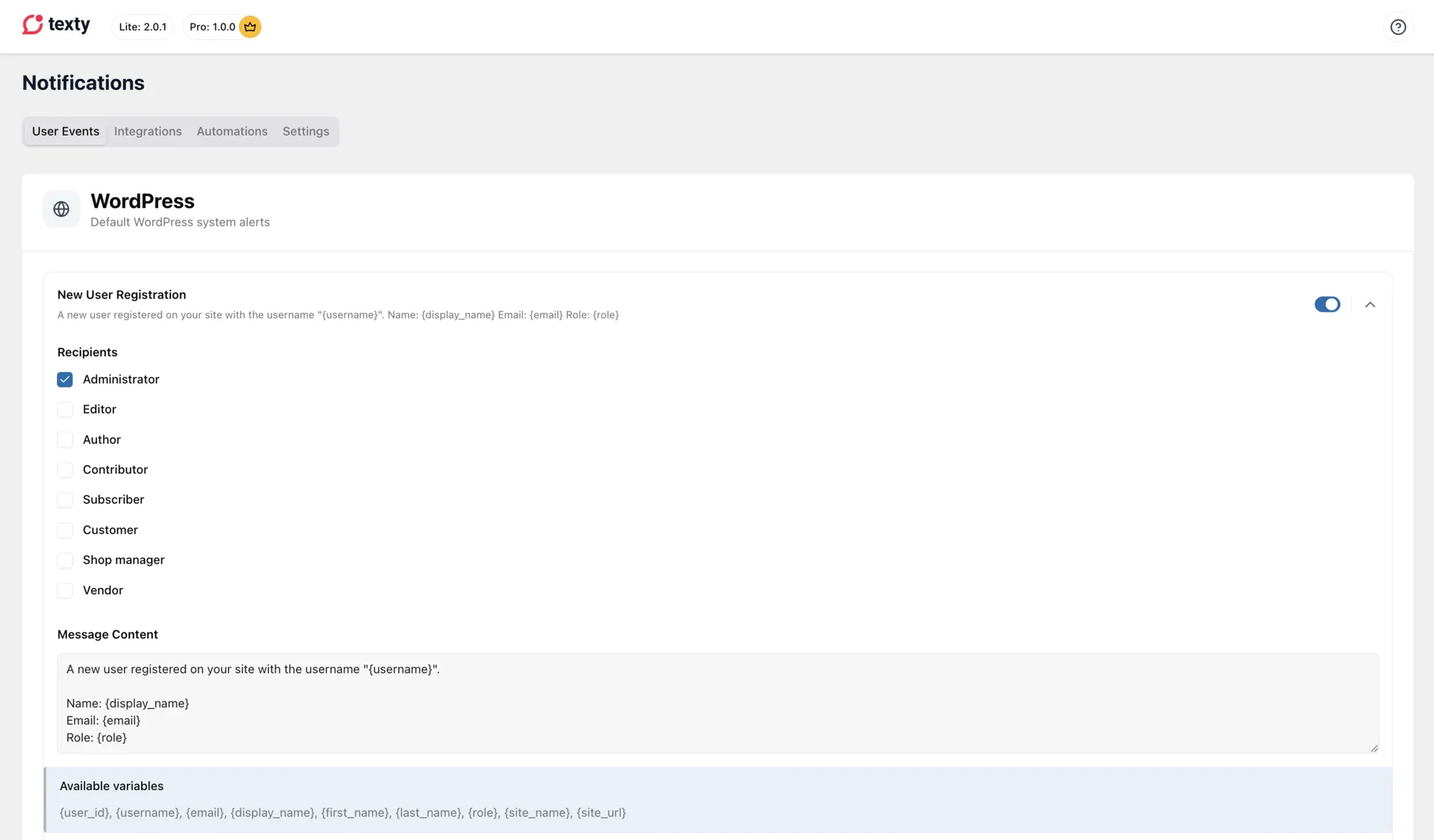
Save the event.
A short signup message may look like this:
New user on {site_name}: {username} ({email}).How do you turn on comment alerts?
Section titled “How do you turn on comment alerts?”The New Comment event runs when a new comment is sent to your site.
Stay in Texty > Notifications > User Events. Expand New Comment. Toggle it on.
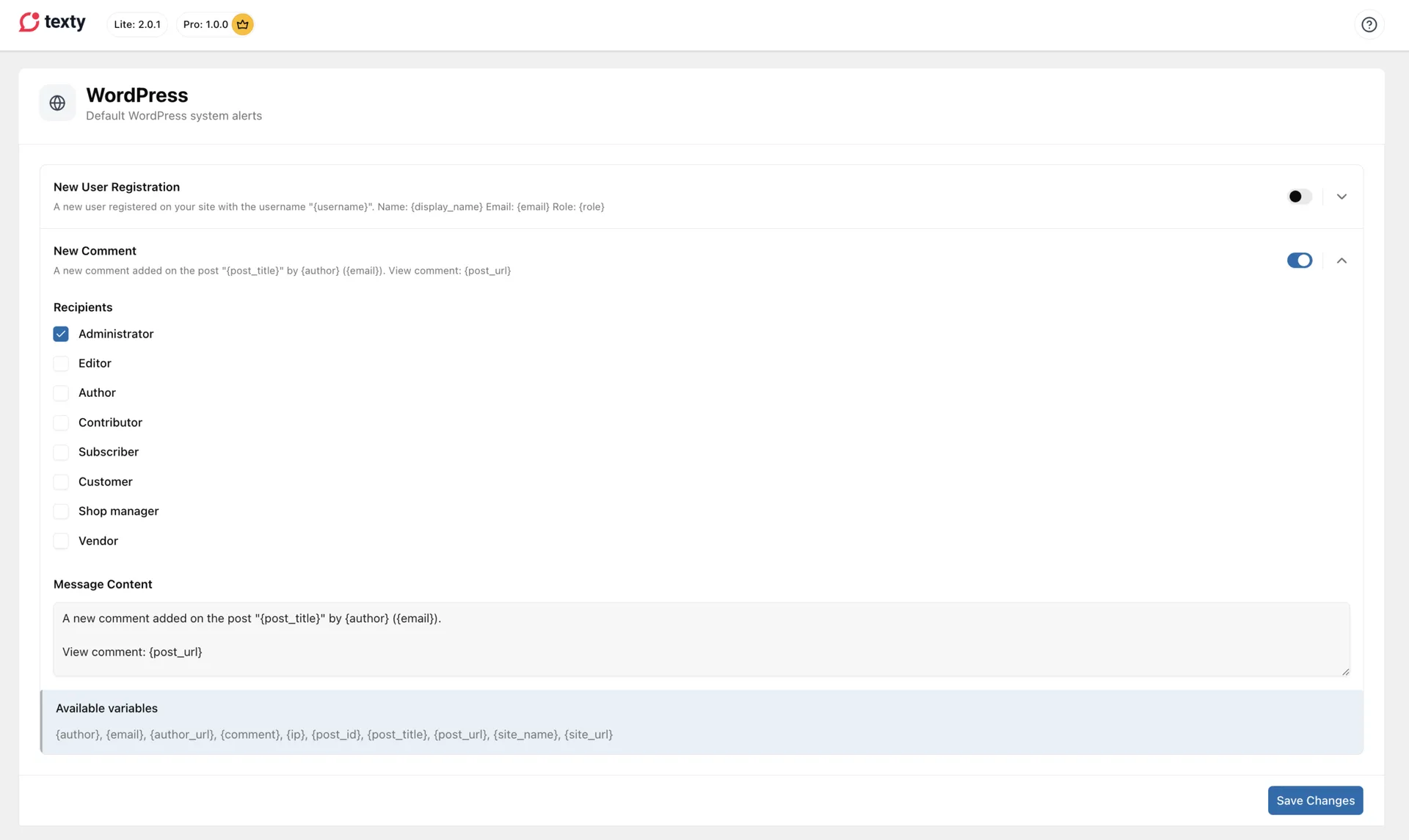
Choose the roles that should get it. Check the message and its tags. Save the event.
A useful comment alert may look like this:
New comment on {post_title} by {author}. Review: {post_url}The post URL may make the text long. Test it before you use this on a busy site.
Who gets these WordPress alerts?
Section titled “Who gets these WordPress alerts?”Both events use roles. Texty sends the alert to each user in the chosen roles who has a saved Phone Number (Texty) value.
For example, choose Administrator and Editor to alert both teams. Each user still needs a saved phone.
See how Texty chooses SMS recipients for the profile steps and phone format.
Which tags can you use?
Section titled “Which tags can you use?”Use the tags shown inside each event. Signup and comment alerts have their own sets.
| Event | Common variables |
|---|---|
| New User Registration | \{user_id}, \{username}, \{email}, \{display_name}, \{first_name}, \{last_name}, \{role} |
| New Comment | \{author}, \{email}, \{author_url}, \{comment}, \{ip}, \{post_id}, \{post_title}, \{post_url} |
| Both events | \{site_name}, \{site_url} |
Do not use a comment tag in a signup alert. A signup tag will not work in a comment alert.
How do you test both alerts?
Section titled “How do you test both alerts?”Test each event on its own.
Test the signup alert
Section titled “Test the signup alert”Go to Users > Add New. Create a new account. Make sure the form asks for a phone number during the signup process.
Check the admin (or other roles) where the SMS is supposed to arrive. It should look like this:
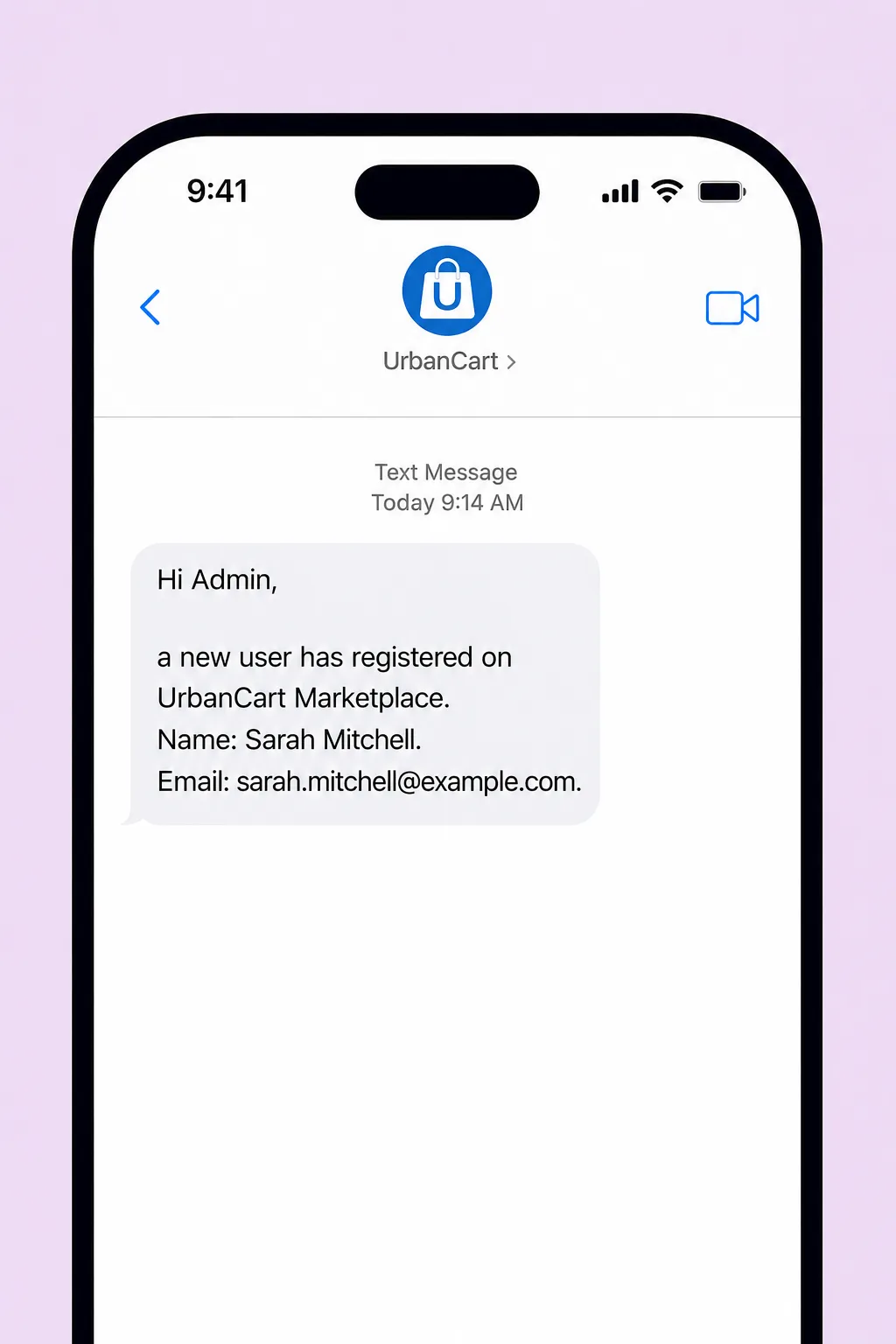
Open Texty > SMS Logs and find the new record.
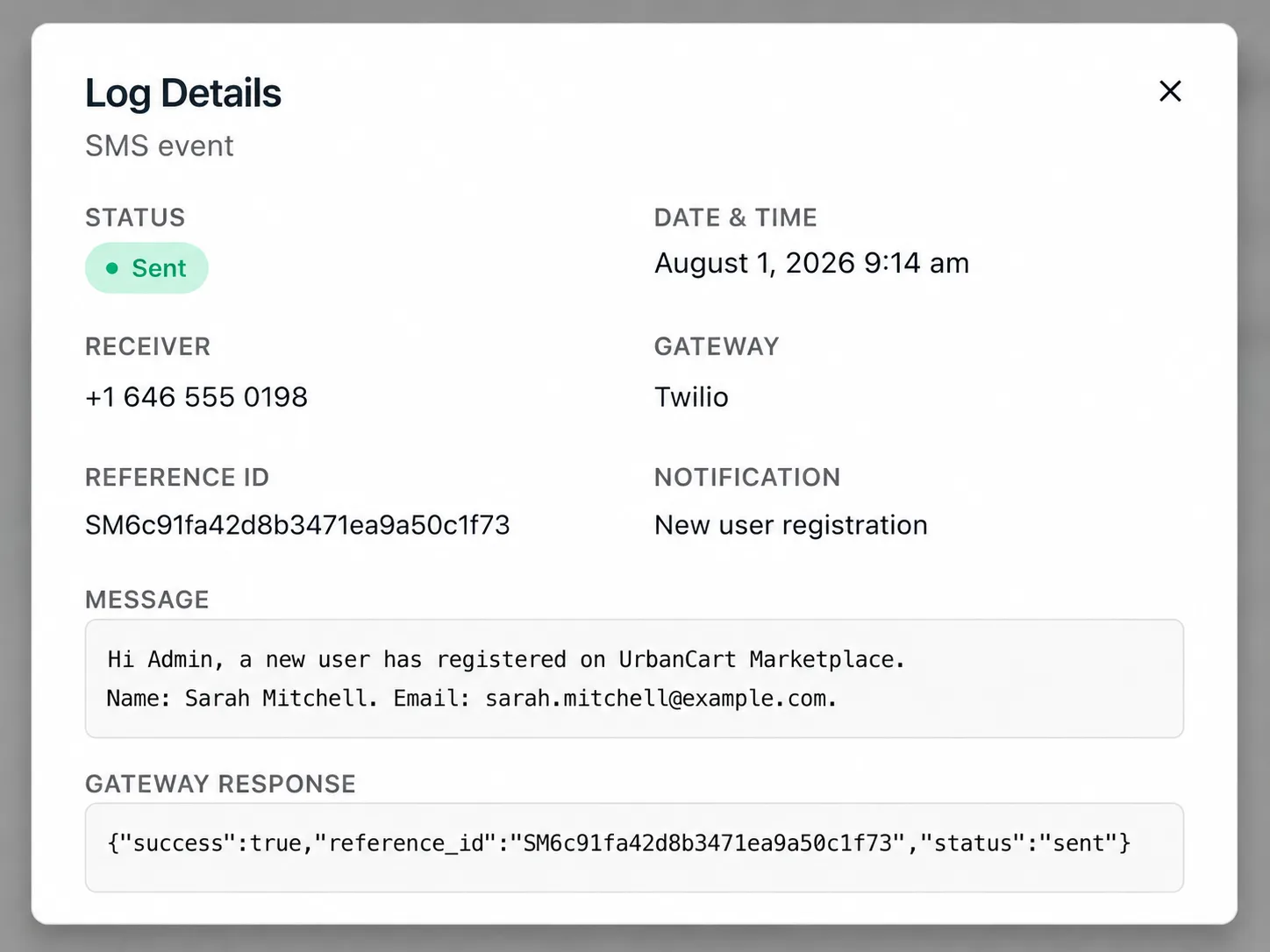
Test the comment alert
Section titled “Test the comment alert”Go to Users > Add New. Submit a new comment on a product or post.
Check the admin (or other roles) where the SMS is supposed to arrive. It should look like this:
Open Texty > SMS Logs and find the new record.
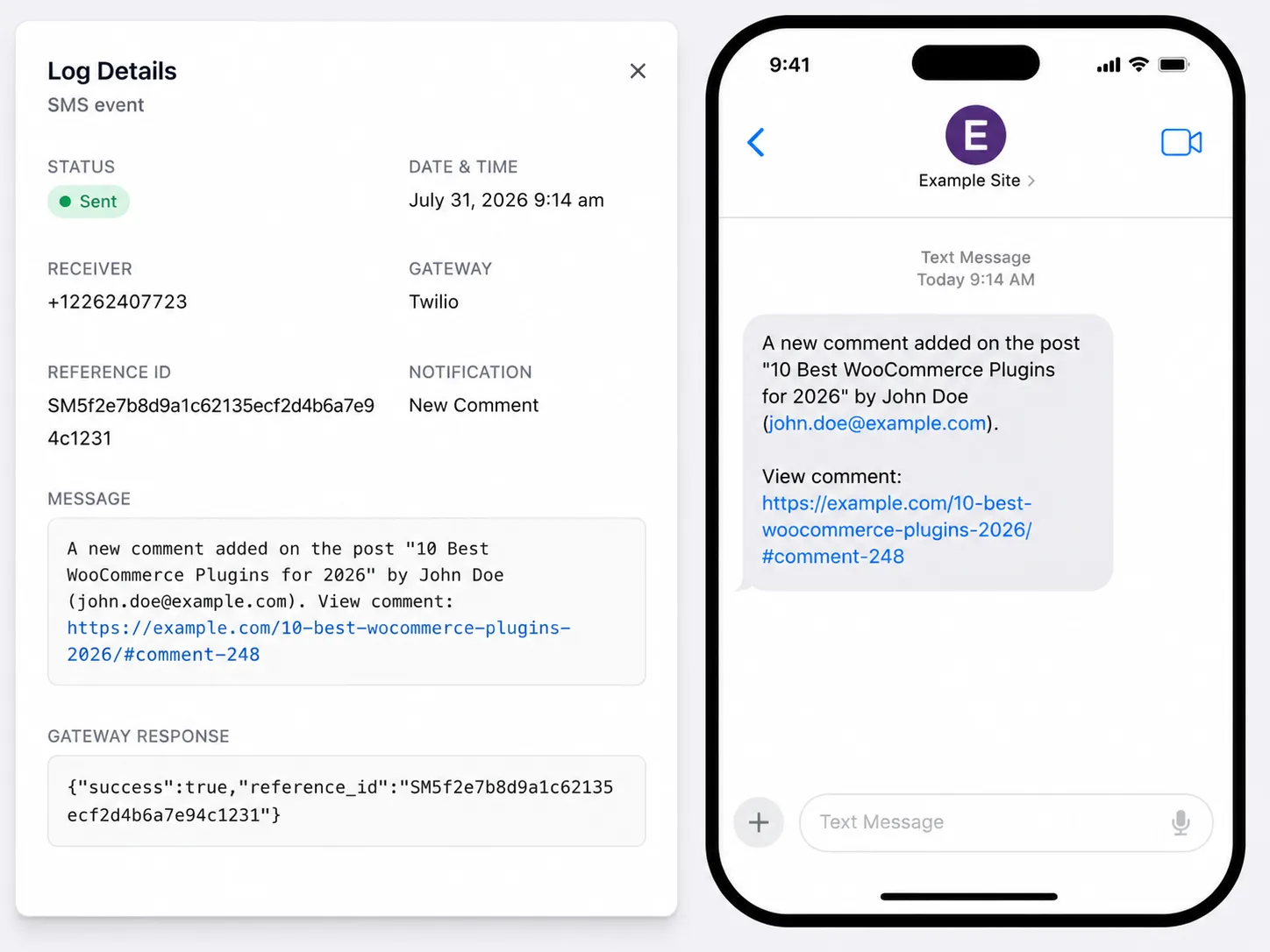
The setup works when each event makes a log and reaches a user in the chosen role.
Why did the alert not send?
Section titled “Why did the alert not send?”| What happened | What to check |
|---|---|
| No one got the alert | Check the chosen roles and each user’s Texty phone field. |
| The signup alert did not run | Make a new account after you turn on the event. |
| The comment alert did not run | Send a new comment after you turn on the event. |
| A raw tag shows in the SMS | Use only the tags shown for that event. |
| The log shows a failed send | Check the gateway response and the phone. |
| All alerts stopped | Check the global pause control under Texty > Notifications > Settings. |
Do I need WooCommerce for these alerts?
Section titled “Do I need WooCommerce for these alerts?”No. New user and new comment alerts work with WordPress itself.
Can more than one person receive an alert?
Section titled “Can more than one person receive an alert?”Yes. Choose more than one role, or add phones to many users in the same role.
Does the new user receive the signup alert?
Section titled “Does the new user receive the signup alert?”The built-in event goes to the site roles you choose. It is not a welcome message for the new user.
What comes next?
Section titled “What comes next?”Please follow the remaining guides to make the most out of Texty.