Free vs Pro
Every StoreGrowth module is in the free plugin. StoreGrowth Pro adds Campaigns, removes the Free plan limits and unlocks extra options inside some modules. Pro is a separate plugin that runs next to the free one and needs an active licence.
What does the free plugin include?
Section titled “What does the free plugin include?”All 11 modules: BOGO, Cart Rewards, Countdown Timer, Direct Checkout, Floating Bar, Fly Cart, Quick View, Sales Notification, Smart Coupons, Stock Bar and Upsell Order Bump. There are no Pro-only modules.
Three modules have a limit on the Free plan. The limit counts only offers that are on and run every day. Drafts, offers that are switched off and offers made for a campaign don’t count.
| Module | Free plan | StoreGrowth Pro |
|---|---|---|
| Smart Coupons | One active automatic coupon. Code and link coupons are unlimited. | Unlimited automatic coupons |
| Upsell Order Bump | Two active order bumps | Unlimited order bumps |
| Cart Rewards | One milestone | Several milestones, for example free shipping, then a gift, then a coupon |
What does StoreGrowth Pro add?
Section titled “What does StoreGrowth Pro add?”| Feature | Where |
|---|---|
| Campaigns | StoreGrowth » Campaigns |
| No Free plan limits | Smart Coupons, Upsell Order Bump and Cart Rewards |
| Buy more save more coupons | Smart Coupons, Discount value. The Free plan marks it Pro. |
| First-time customers, Returning customers and Specific customers | Smart Coupons, Eligibility. The Free plan marks them (Pro). |
| The License page | StoreGrowth » License |
| Extra Fly Cart and Quick View options | Marked “Needs StoreGrowth Pro.” on the Fly Cart and Quick View pages |
What happens when a store has more offers than the Free plan allows?
Section titled “What happens when a store has more offers than the Free plan allows?”This happens when a Pro licence expires, or when Pro is deactivated. The offers above the limit pause, newest first, and show Paused: over Free limit. The module page shows “You have more offers than the Free plan allows. Choose which stay on.”
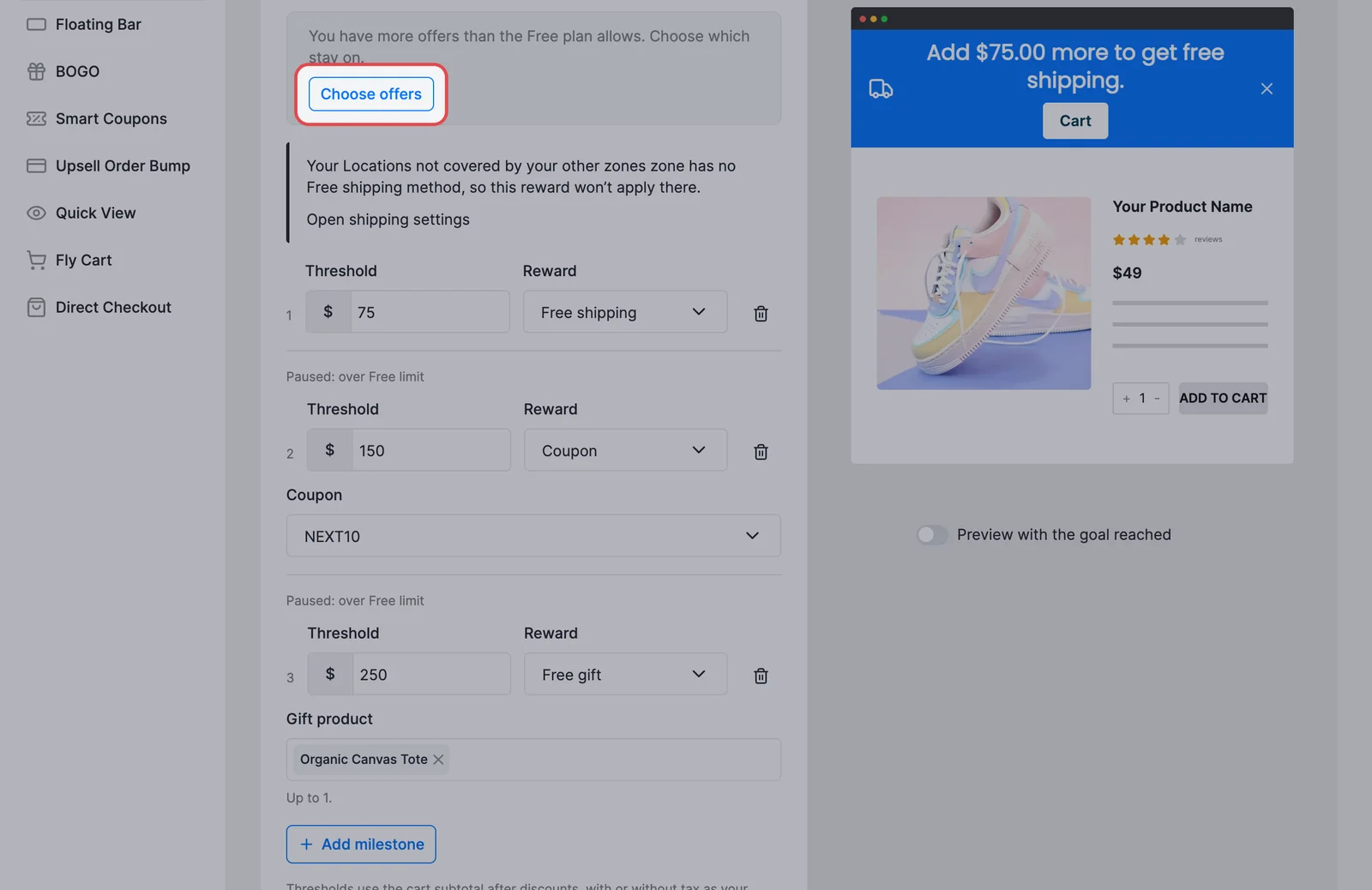
Nothing is lost: when Pro is active again, the paused offers come back on by themselves.
-
On the module page, click Choose offers.
-
Tick the offers you want to keep on. “The Free plan keeps [n] on. To choose another, untick one first.”
-
Click Save. The offers you didn’t pick stay paused. Nothing is deleted.

How do you activate your Pro licence?
Section titled “How do you activate your Pro licence?”- Install and activate StoreGrowth Pro next to StoreGrowth. See Installing StoreGrowth.
- Go to StoreGrowth » License.
- Paste your key into StoreGrowth Pro License Key (“Enter your key here”) and click Activate License.
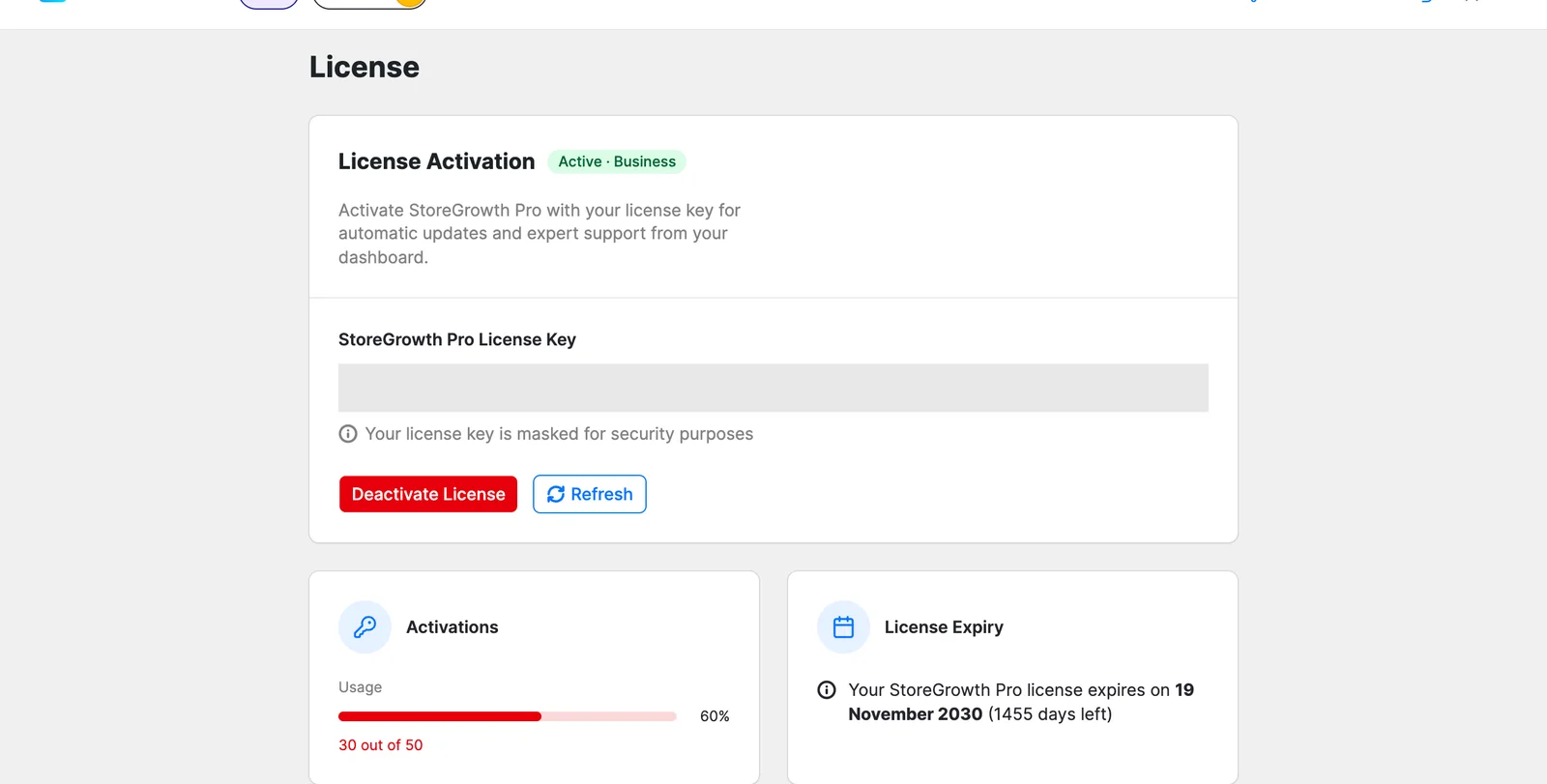
Once active, the page shows the plan, your key masked for security, how many Activations you have used and the License Expiry date. Click Refresh to check the licence again, for example after you renew.
What happens when your Pro licence expires?
Section titled “What happens when your Pro licence expires?”StoreGrowth checks your licence once a day. From 14 days before the expiry date, StoreGrowth shows a notice with a link to renew.
When the licence expires, Pro features stop straight away. There is no grace period.
| What | What happens |
|---|---|
| Campaigns | They stop and show Stopped: licence expired. You can still open them, but you can’t change them. |
| Offers attached to a campaign | They go back to their everyday versions. |
| Offers made for a campaign | They go offline. |
| Offers above the Free plan limits | They pause, newest first, until you choose which stay on. |
The Campaigns page shows “Your StoreGrowth Pro licence has expired, so your campaigns are stopped. Renew it to run them again.” Click Renew licence, then Refresh on the License page. Running campaigns come back into effect as soon as the licence is active again.
Do StoreGrowth and StoreGrowth Pro need matching versions?
Section titled “Do StoreGrowth and StoreGrowth Pro need matching versions?”Yes. Update both plugins together. If one is too old for the other, StoreGrowth shows a notice that asks you to update it. Your store keeps working in the meantime, but the Pro features that need the newer version stay off until you update.
What should you read next?
Section titled “What should you read next?”- Prerequisites: the WordPress, PHP and WooCommerce versions both plugins need.
- Campaigns: the main Pro feature.